Sean A. Rooney site logo

Azure Communication Services

Principal Design Manager/Head of Developer Experience, M365, Microsoft
Project Overview
Azure Communication Services (ACS) is a Communications Platform as a Service (CPaaS) that makes it possible for anyone, anywhere to add intelligent communication features such as AI, voice/video, chat, email, SMS, WhatsApp, and Microsoft Teams interoperability to their new or existing digital product. Our customers are developers, and our goal is to simplify the complex world of digital communications and allow our customers to focus on what they know best.

Our platform (first launched in March, 2021) is used to create best-in-class products in healthcare, finance, government, retail and many other industries as they go through the process of digital transformation and incorporation of AI into their product offerings.
My Contributions
I am responsible for the developer experience of ACS all up. As part of that, I manage all of the design and research efforts on the product, as well as our developer solutions group. Features include all of our developer tools, our UI Library design system, our customer documentation, our marketing site, and aspects of our APIs such as error codes. My team also crafts all of the pitch decks used by our customer engagement team, customized per industry, and performs extensive qualitative and quantitative user research to help the entire org gain a more nuanced understanding of our customers' daily lives, jobs-to-be-done, user journeys, and unstated/unmet needs. We also design, build, and maintain all of our product samples and demos.

When I joined the team in March, 2021, I implemented numerous changes to make the team more productive and less stressed, remove roadblocks and operationalize various creative processes. I assessed each designer's strengths and worked to find projects for each where their particular skills and attributes would enable them to be successful.  I collaborate closely with PM and engineering to create processes and mechanisms that help our team continually improve the experience of using our product.

In the fall of 2024, I was asked to expand my role and take ownership of developer experience all up, including strategy, design, and execution.
Developer Sandbox Tools
Head of Developer Experience
2022 - 2025
Our customers are developers. While they all have areas of expertise in fields like telehealth, finance, government or others, most of them have little to no experience creating communications tools. We spend a lot of time conceiving, building and shipping tools to make it easier to understand and create experiences using complicated technology that is new to them.

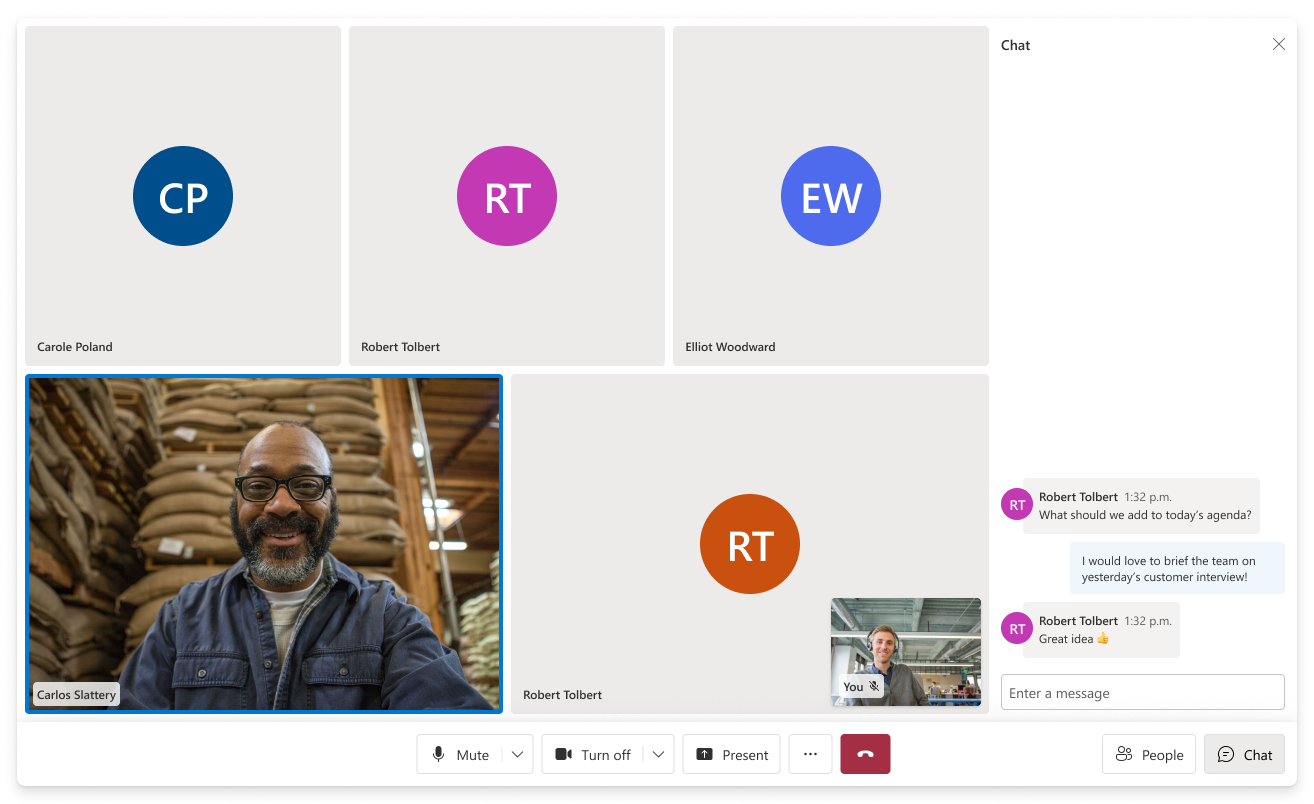
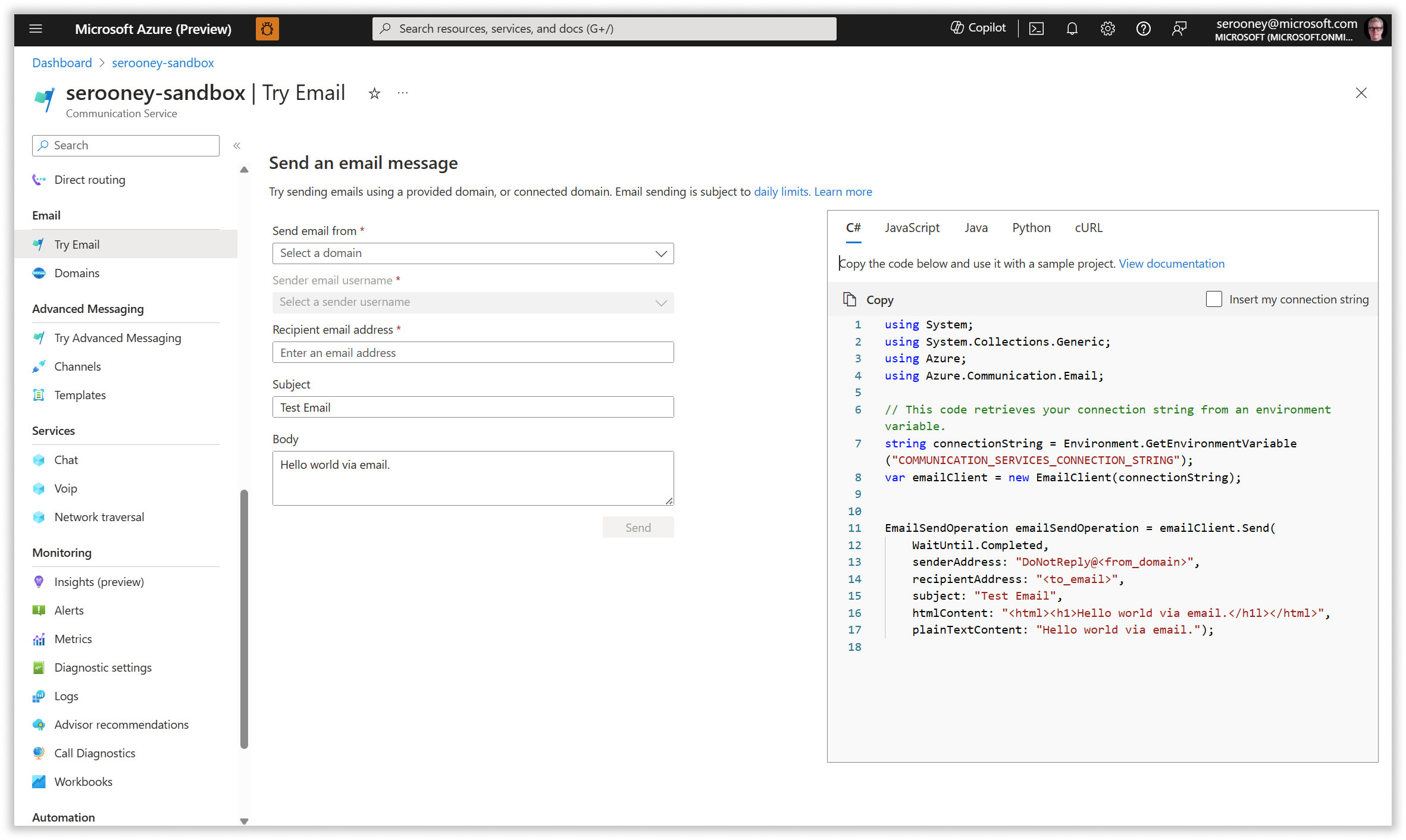
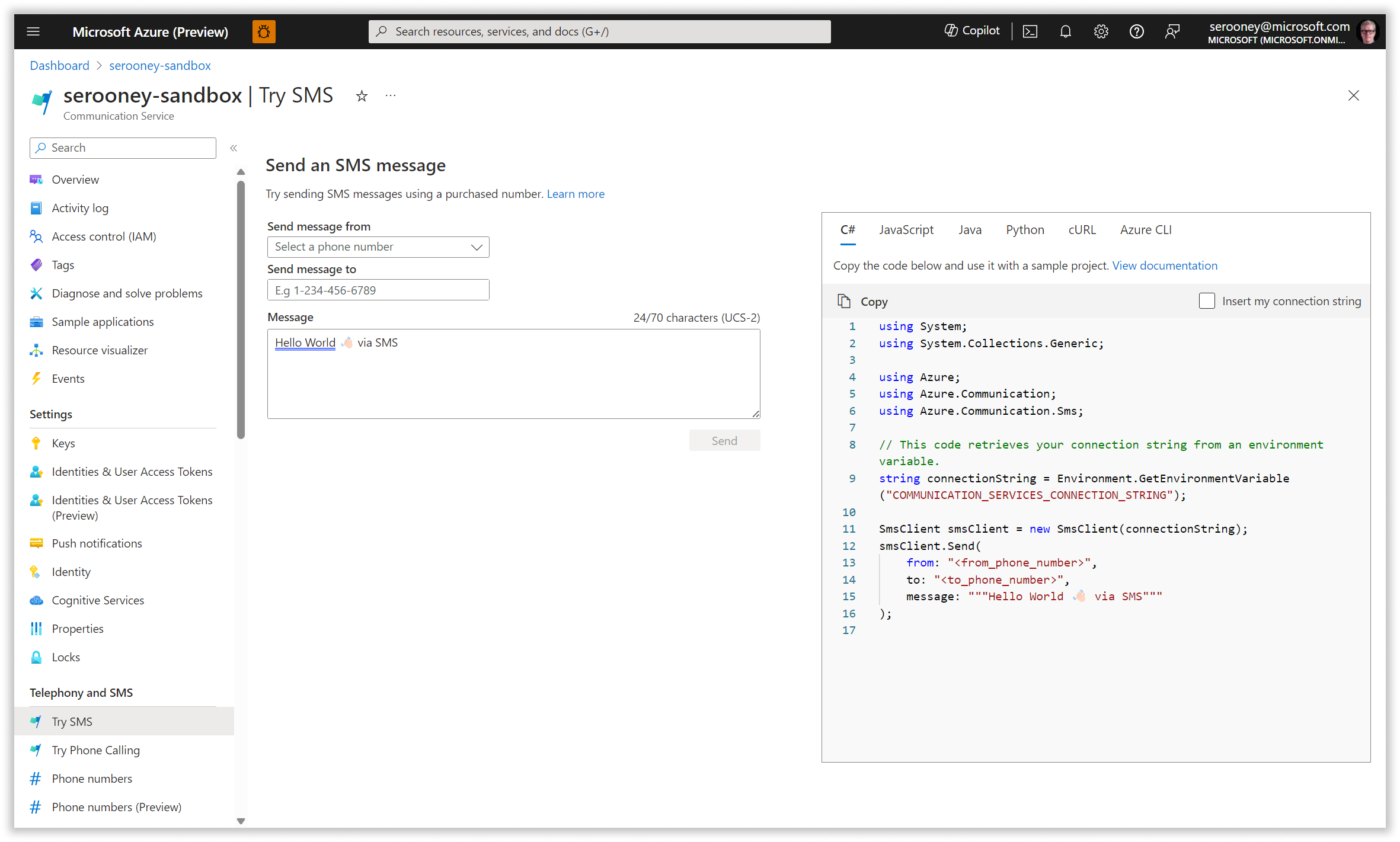
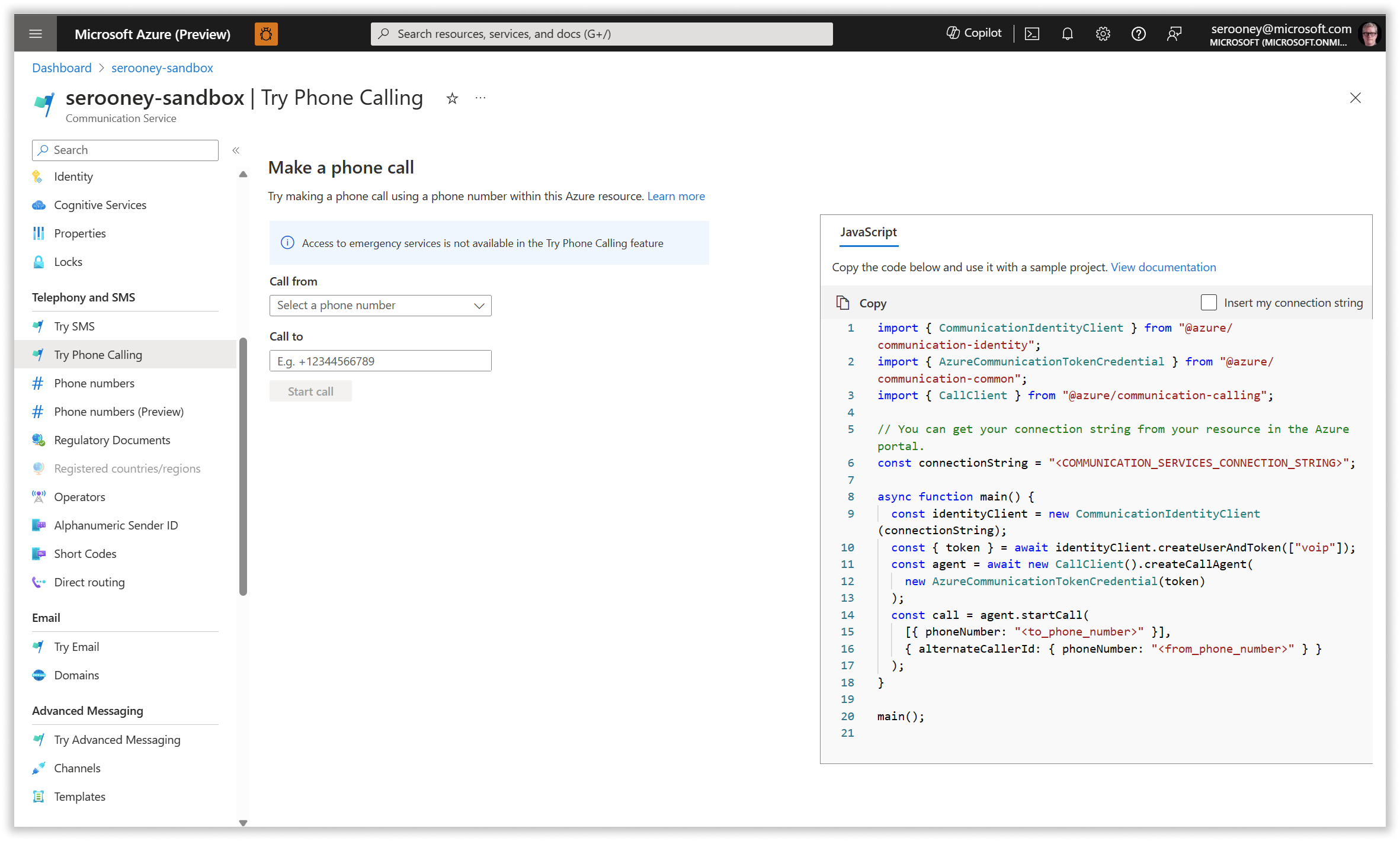
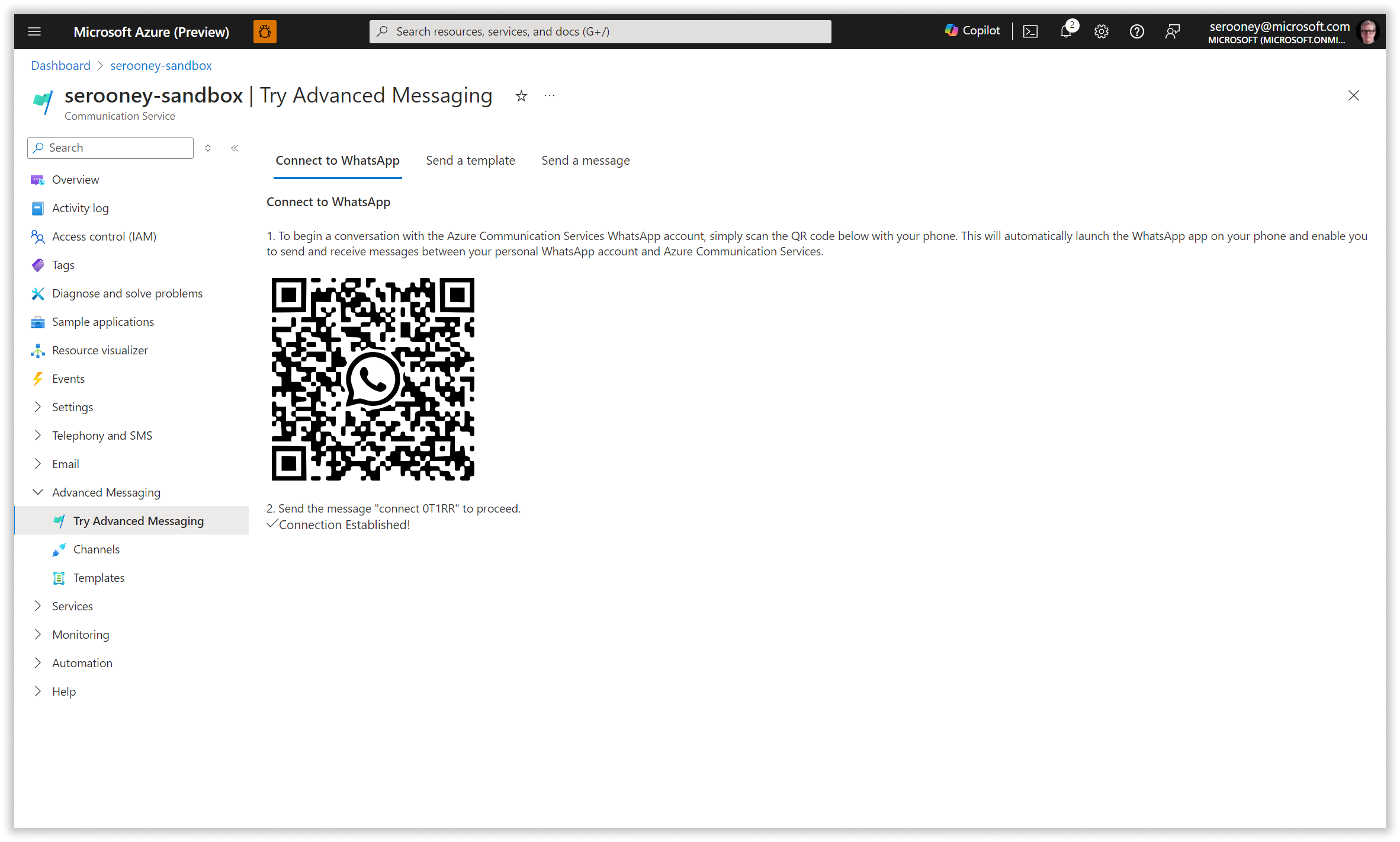
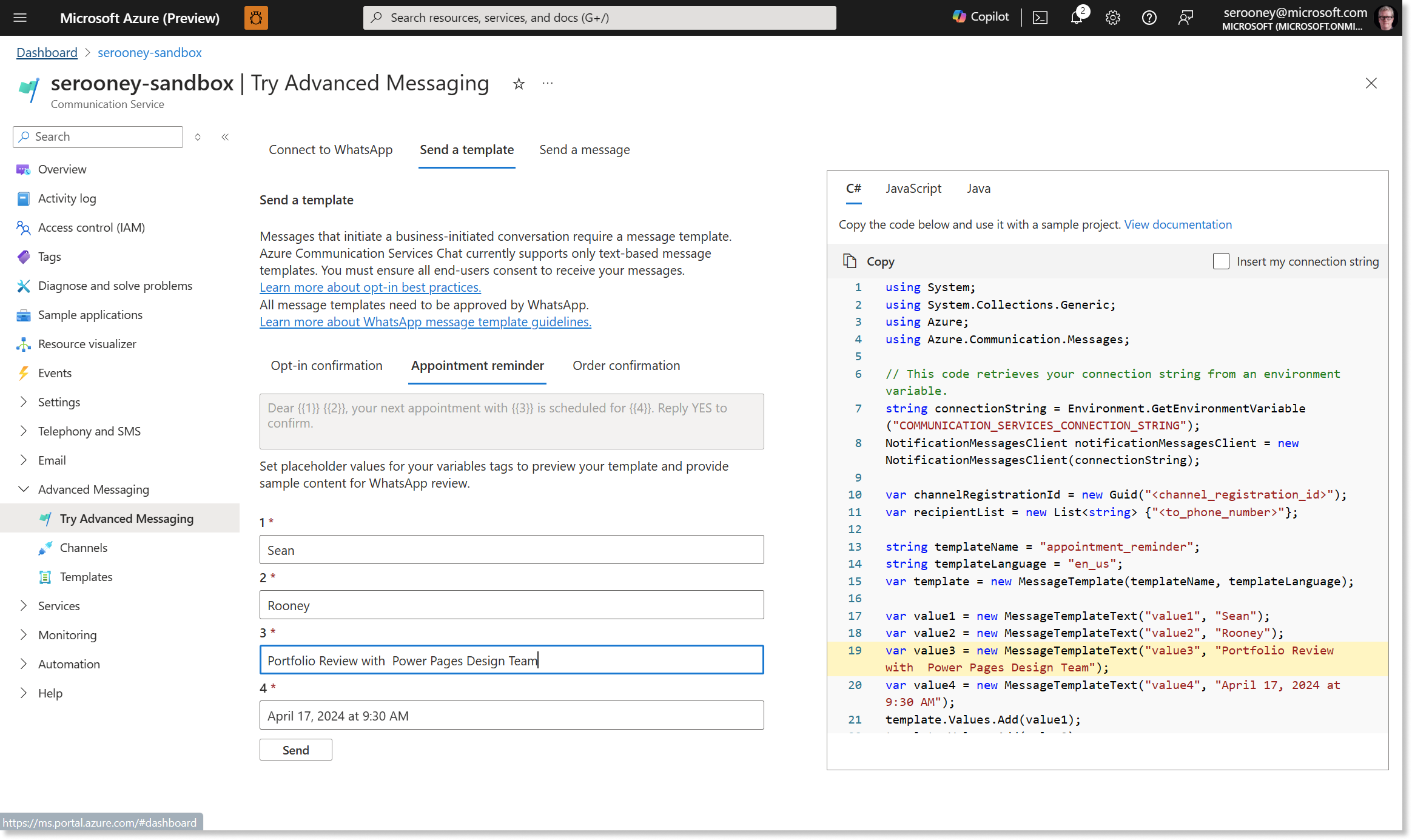
We created our developer sandbox tools to make it easier for developers using our most popular modalities to try out our APIs, using an interactive form that allows them to see the changes they make to form fields reflected immediately in the code view, across a variety of languages.

Our developer sandbox tools grew directly out of concepts created during a design envisioning effort aimed at easing onboarding for new developers. My role was to provide creative direction, socialize the tools, and help our PMs prioritize and fund development of them.

NOTE: these tools sit inside of the azure portal, and as such are required to use the design paradigms and visual components of the azure portal design system.
A sample of screens from our developer sandbox tools, including email, SMS, phone calling, and WhatsApp
Sample Builder
Head of Developer Experience
2022 - 2025
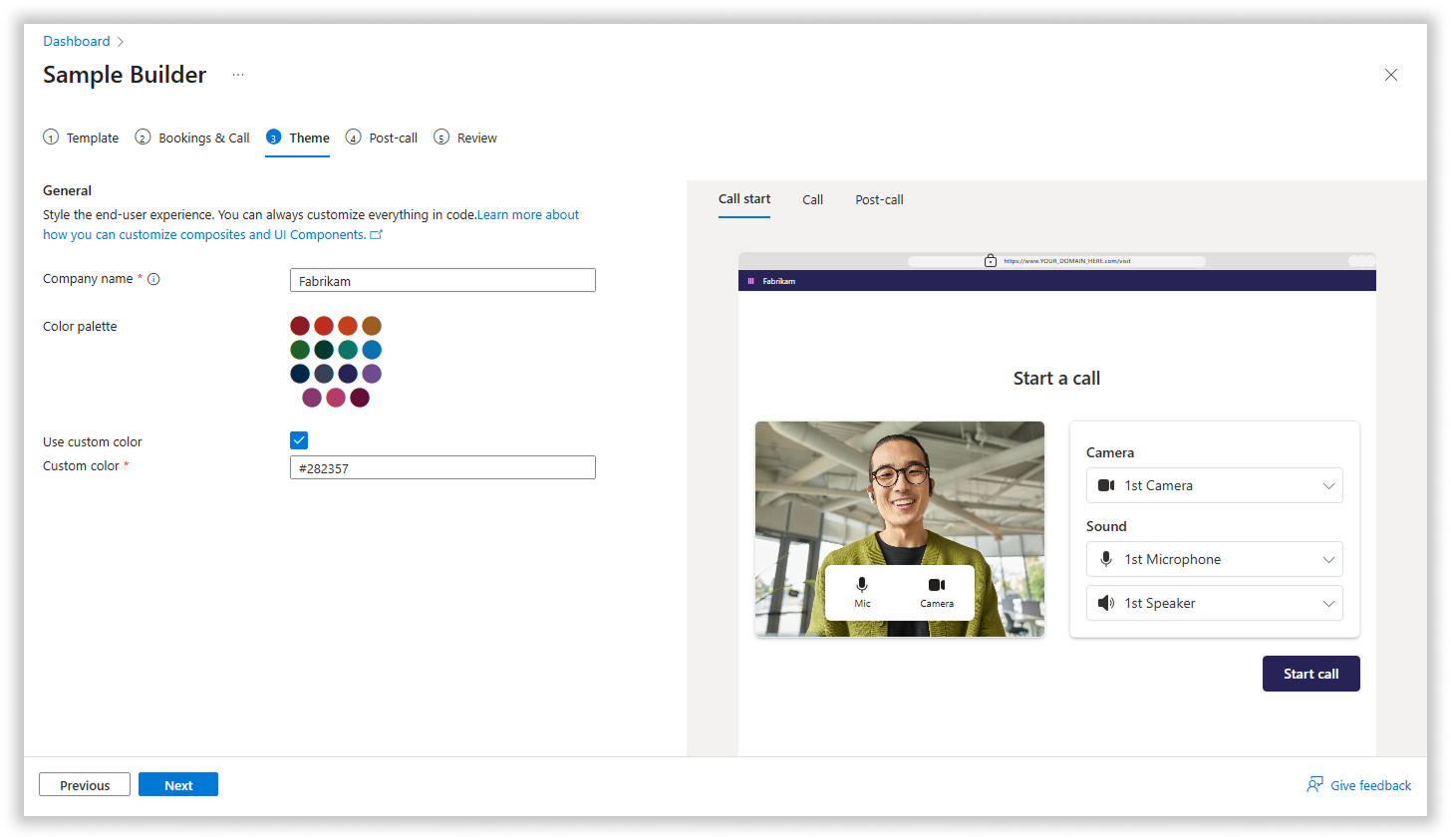
As part of a design sprint aimed at easing developer onboarding, my team identified one of the key jobs-to-be-done of a technical decision maker, one of our main customer segments. TDMs need to be able to create a technical proof of concept quickly and easily, and then need to be able to look at the code and share it with their team members. Our research told us that TDMs need to be able to have something demo-able within a week in order to decide to adopt a platform.

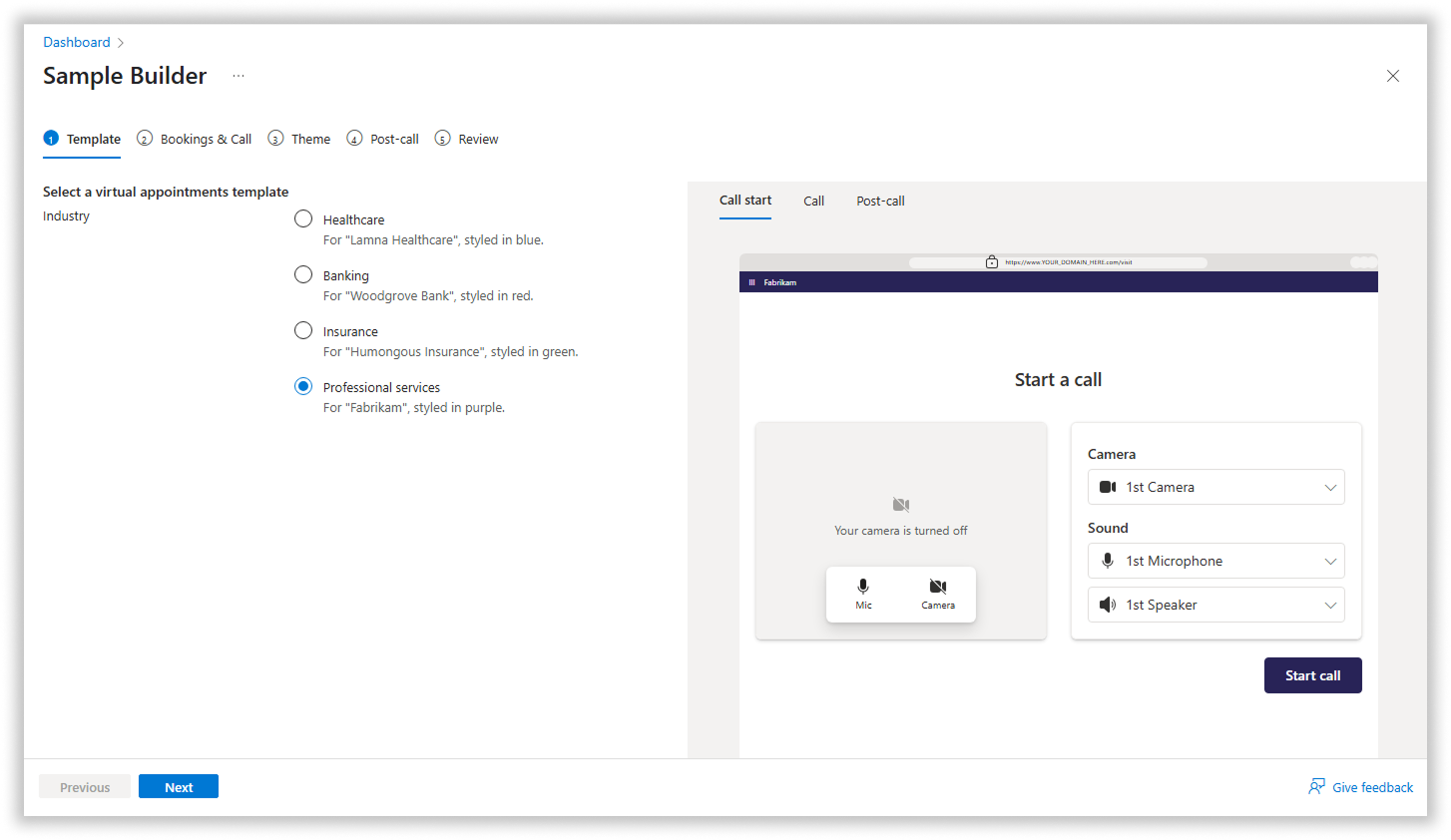
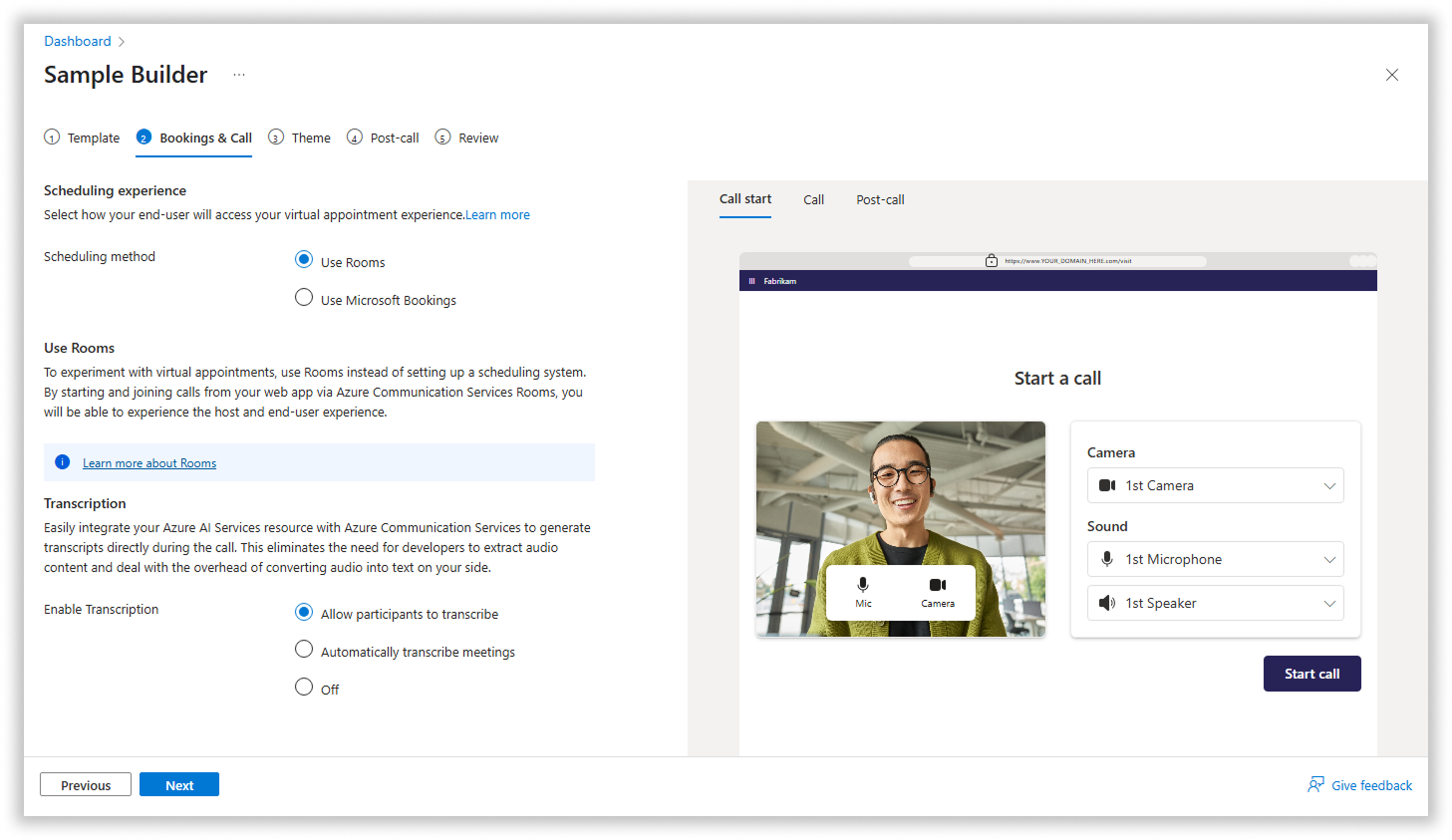
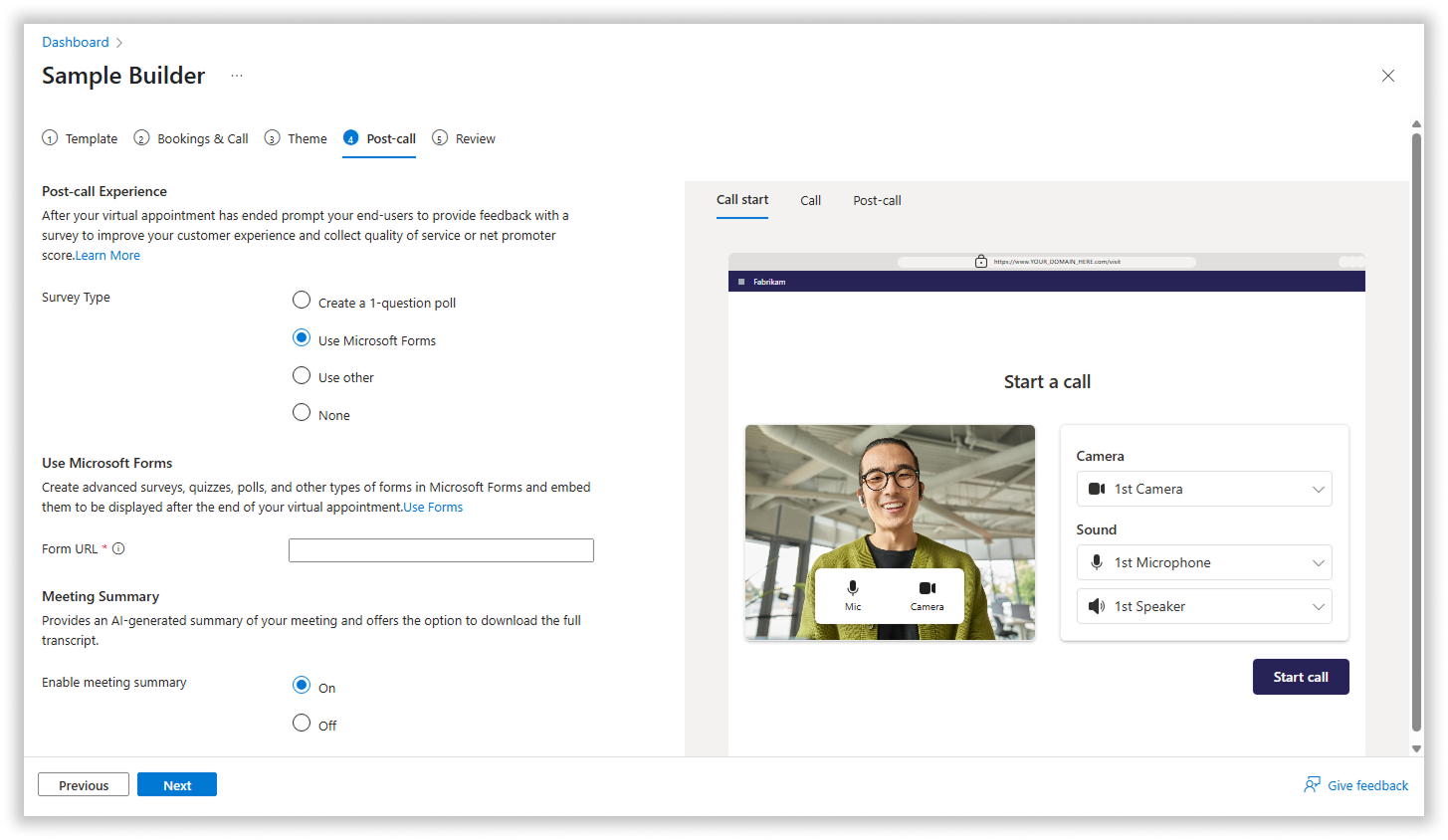
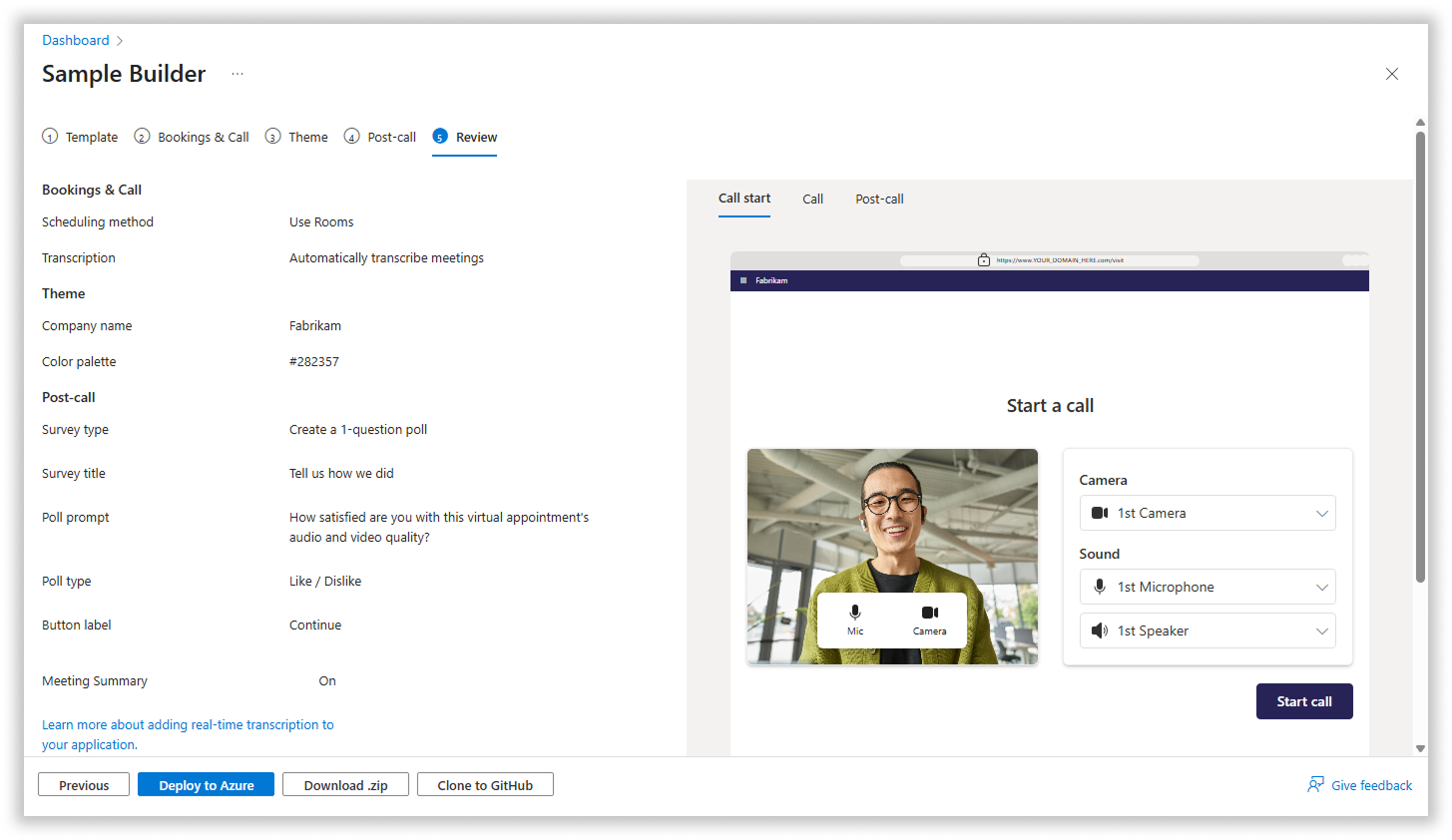
In order to help address this, we created a design vision for Sample Builder, a no-code tool that allows users to quickly create a POC by choosing from a set of pre-defined templates, adding bookings, customizing the look and feel, adding a post-call survey, and then deploying to azure. Customers can also add advanced AI features like meeting summarization and transcription. They can download the code directly as a .zip, or clone the codebase to their own github repo.

Sample builder generated over 2000 deploys to Azure in its first year of existence. Additionally, In its 2022 review of ACS, Gartner Research specifically called out Sample Builder as a key differentiator for ACS, saying “Given its relatively recent launch, the entire platform qualifies as a recent innovation by Microsoft. Of particular note is its new Virtual Appointment Builder, which uses a wizard to allow branding and configuration. It then outputs fully functioning apps for all personas fora virtual visit use case, which can then be readily deployed via the Azure cloud” (Gartner, Market Guide for CPaaS,2022)

Sample Builder, a tool that makes it easy for customers to create a technical proof of concept they can share with coworkers
Call Diagnostics Tools
Head of Developer Experience
2022 - 2025
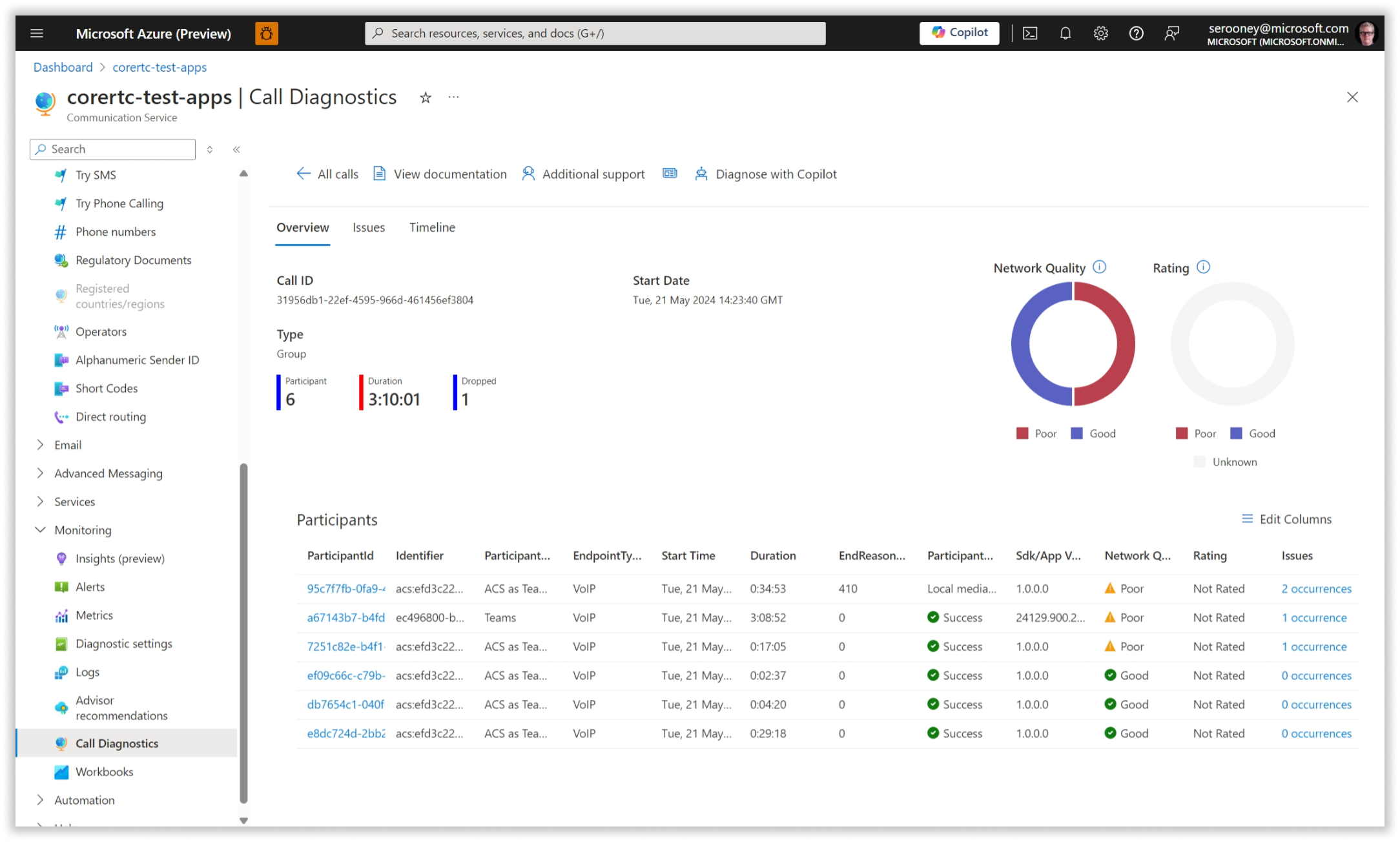
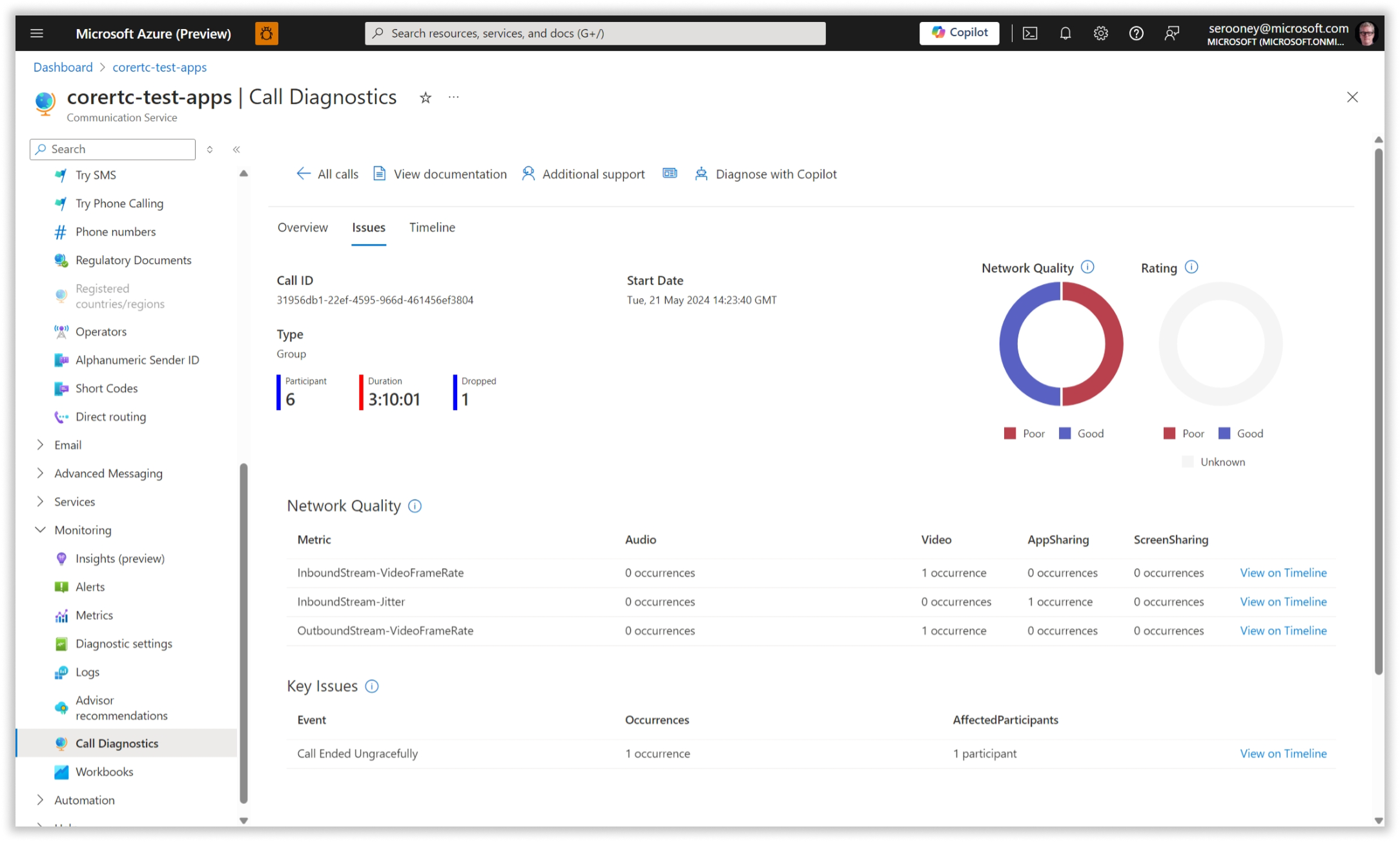
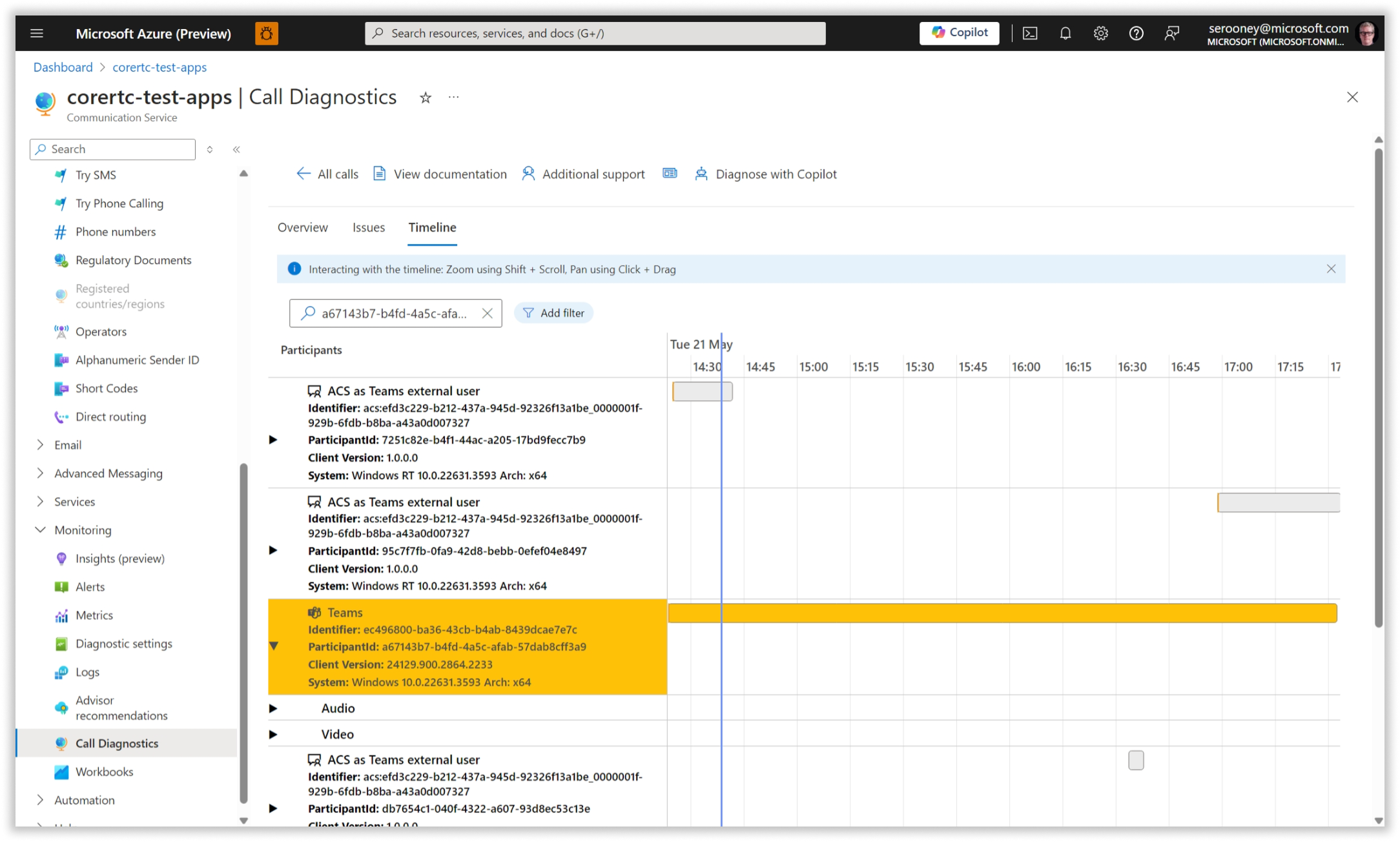
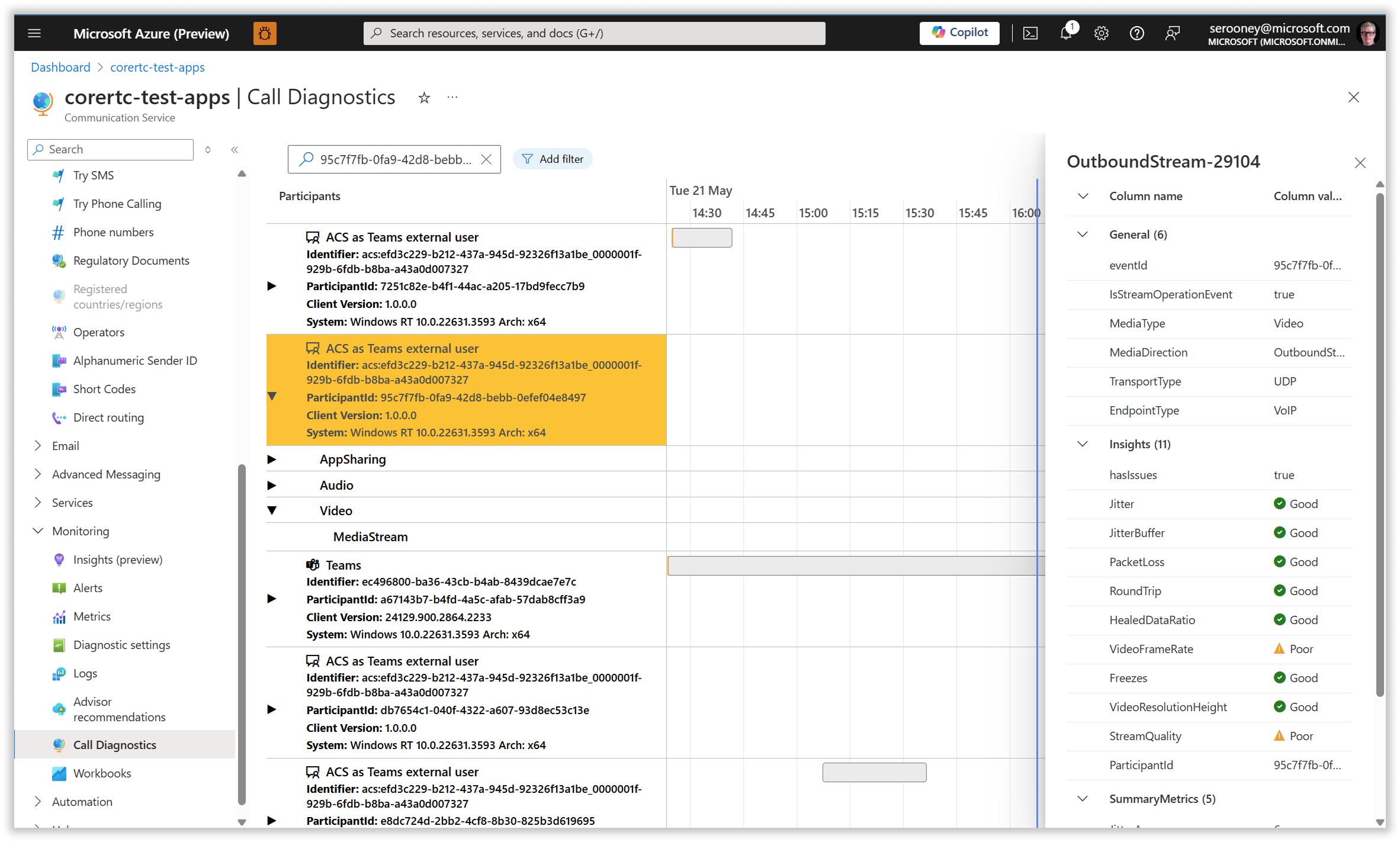
Early in the development of Azure Communication Services, we were getting a lot of complaints from customers related to what issues on calls that customers assumed were caused by our platform. Our team dug into this and found that in most cases, dropped or failed calls were the result of issues outside of our control, such as bad network connections or incorrectly configured camera/microphone.

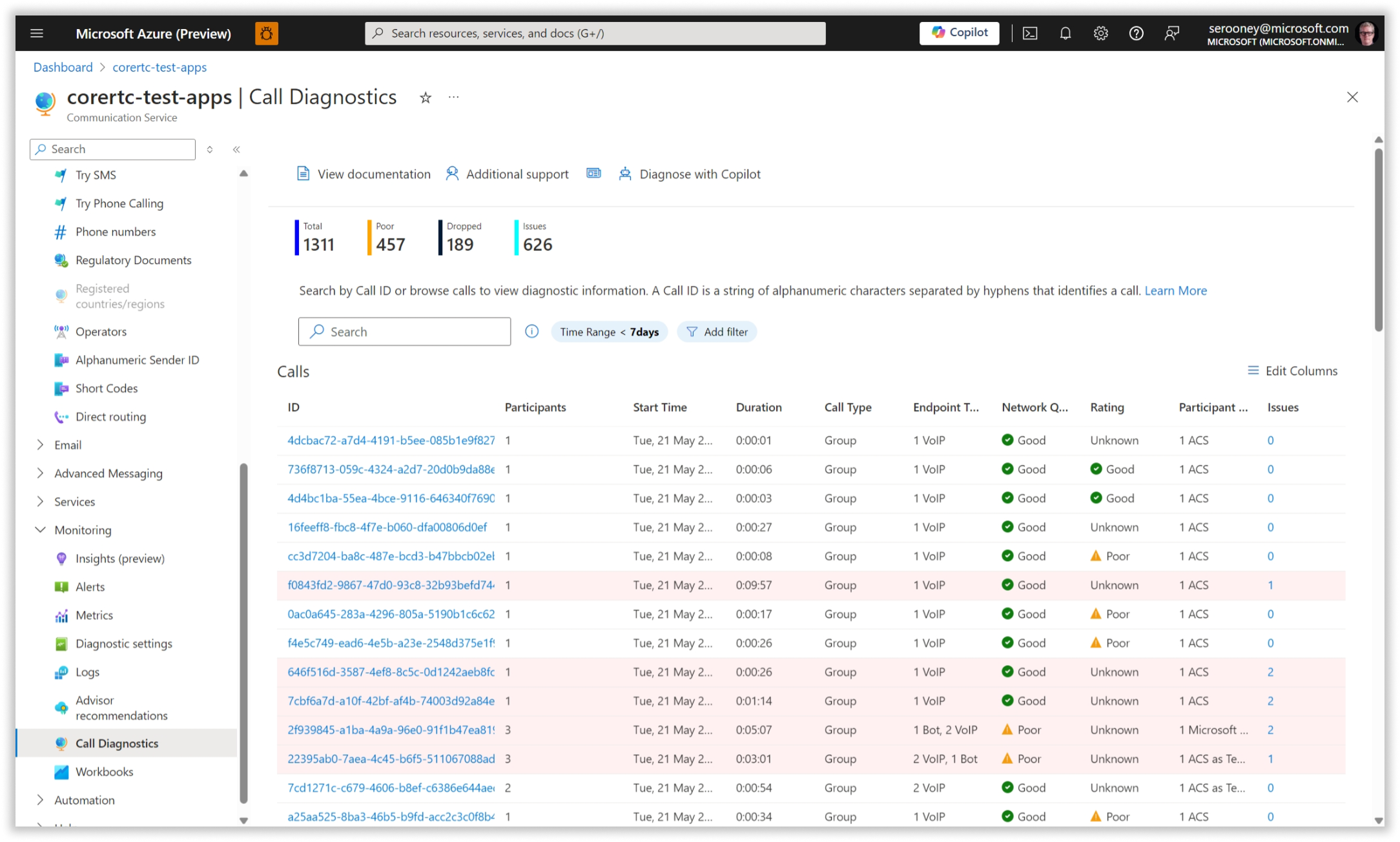
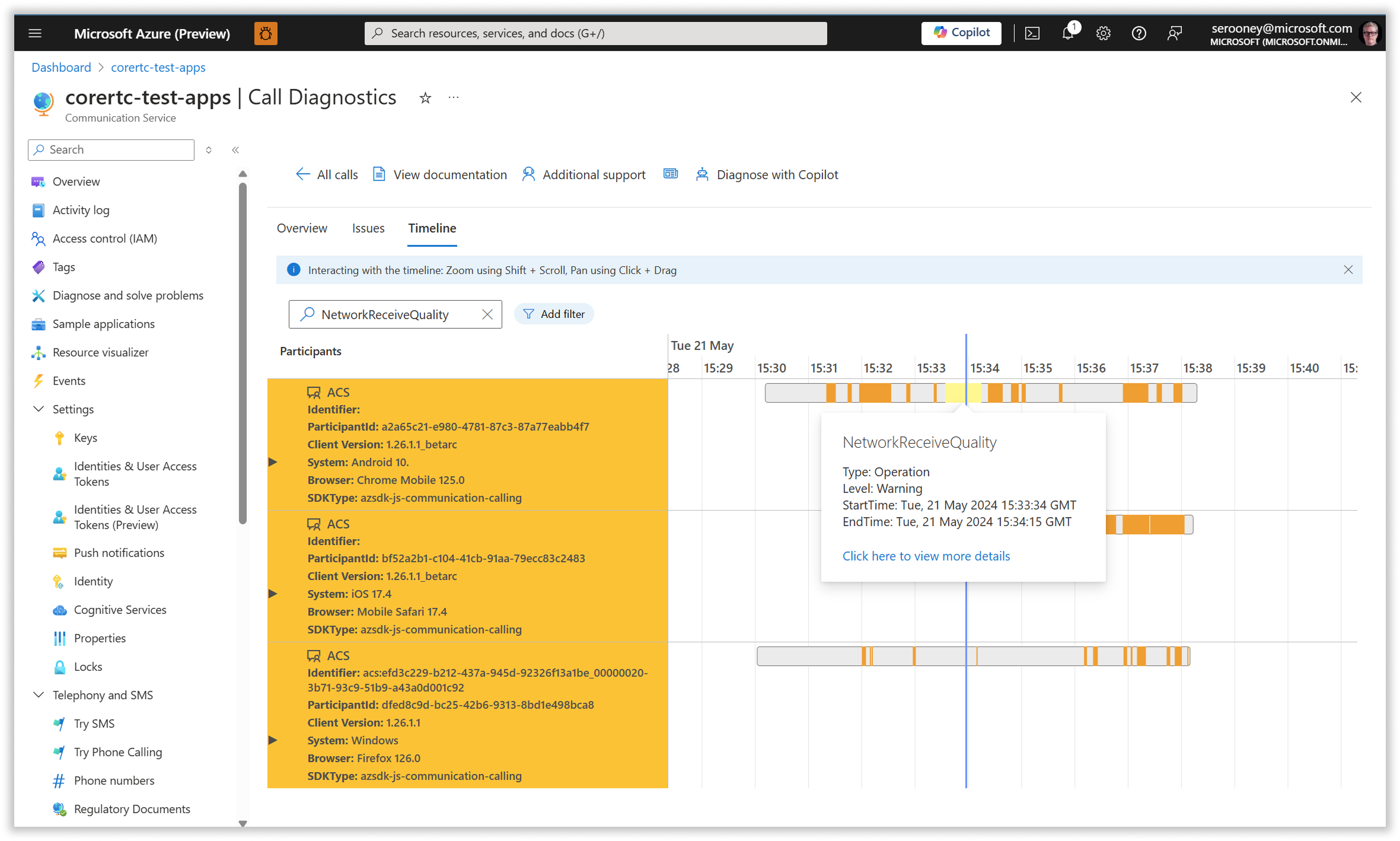
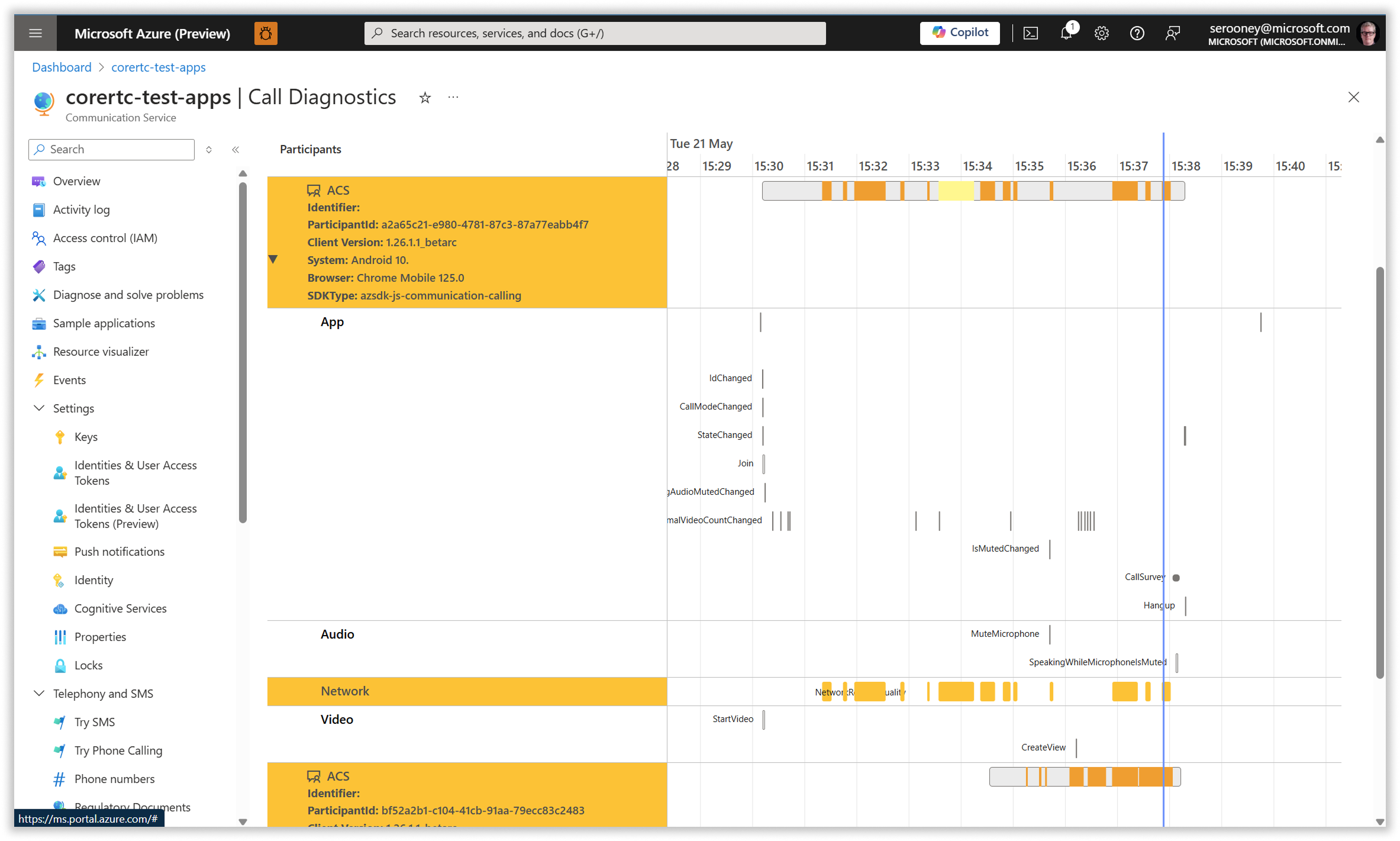
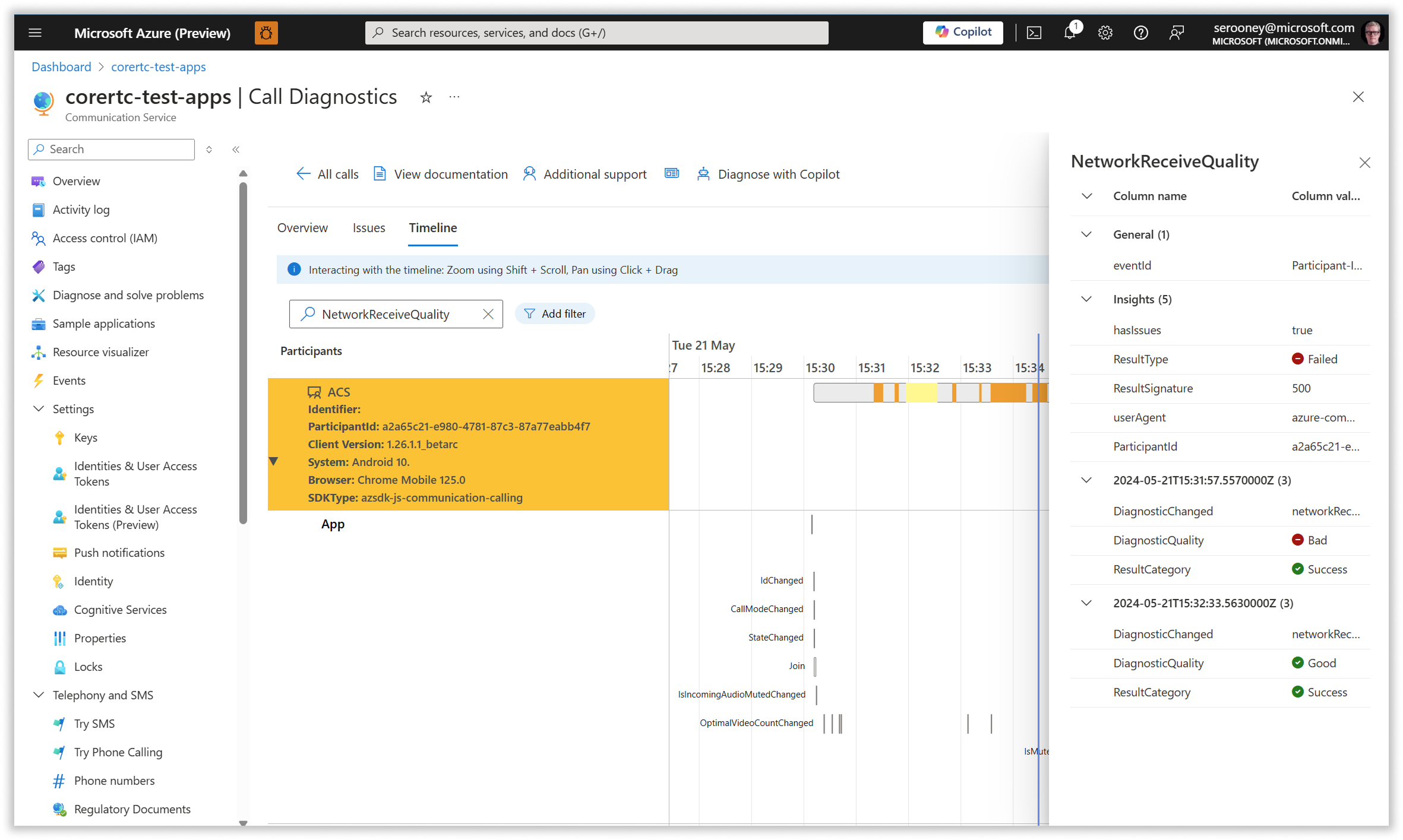
To help our customers get a better understanding of where the issues actually lay, we created a call diagnostics tool that allows they to monitor every call created on their instance of ACS. The tools shows the time and cause of drops, as well as showing the status of user's camera and microphone and if/when the user turned them on or off.

After launch of these tools, customer satisfaction with our calling modality increased significantly, and customer support calls related to voice/video calling dropped.

In FY26, we will be expanding our diagnostics tools to cover other modailities in addition to voice/video calling.

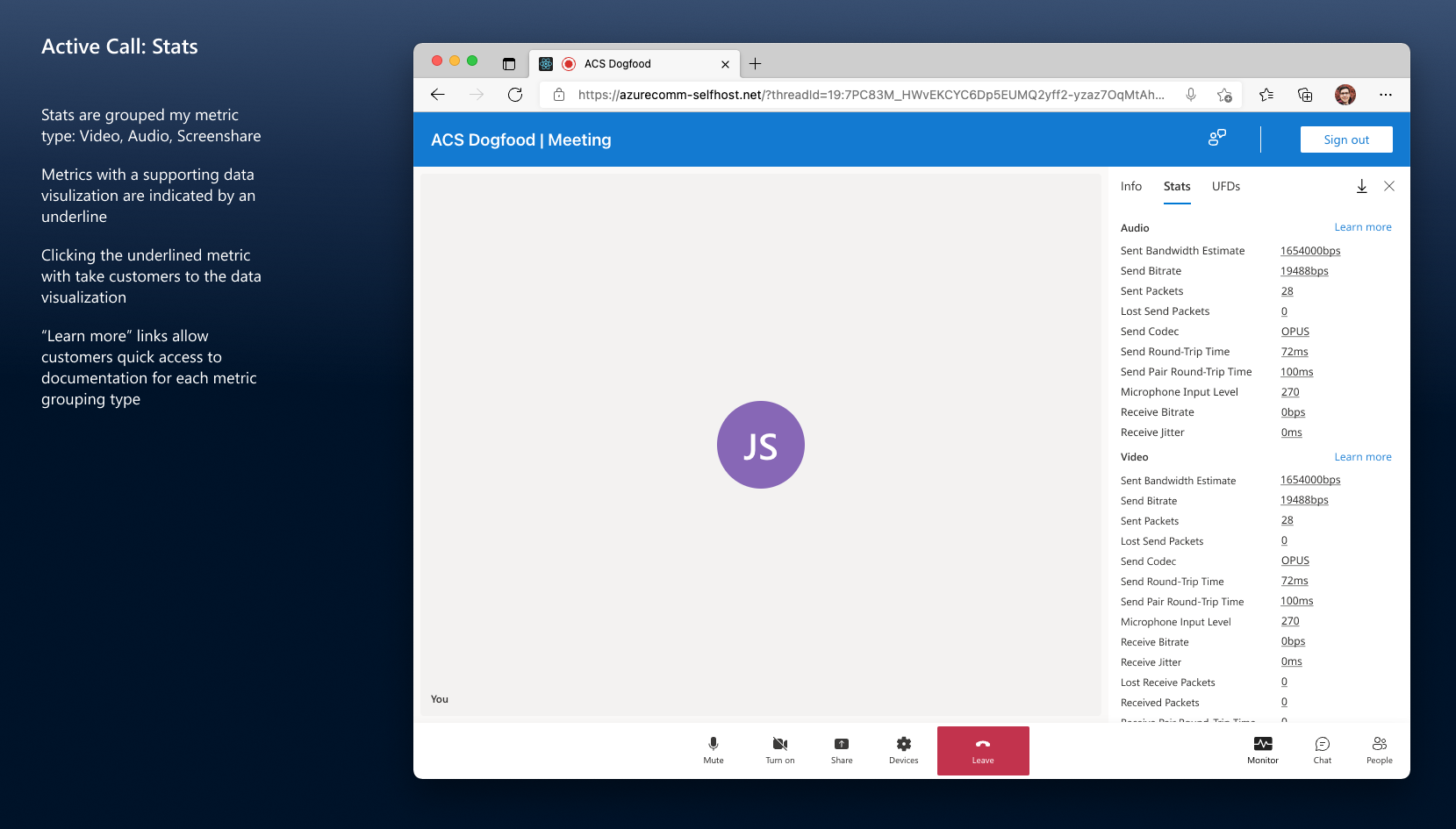
A sample of some of the Call Diagnostics Tools that my team designed.
Developer Documentation
Head of Developer Experience
2022 - 2025
In the run-up to our initial launch, the PM in charge of our developer documentation was focused solely on quantity. When I joined the team I immediately began hammering on the need for quality in both the content and the site structure. After having pushed for months I was asked by leadership to have my team look at a redesign of the navigation, which is now complete.

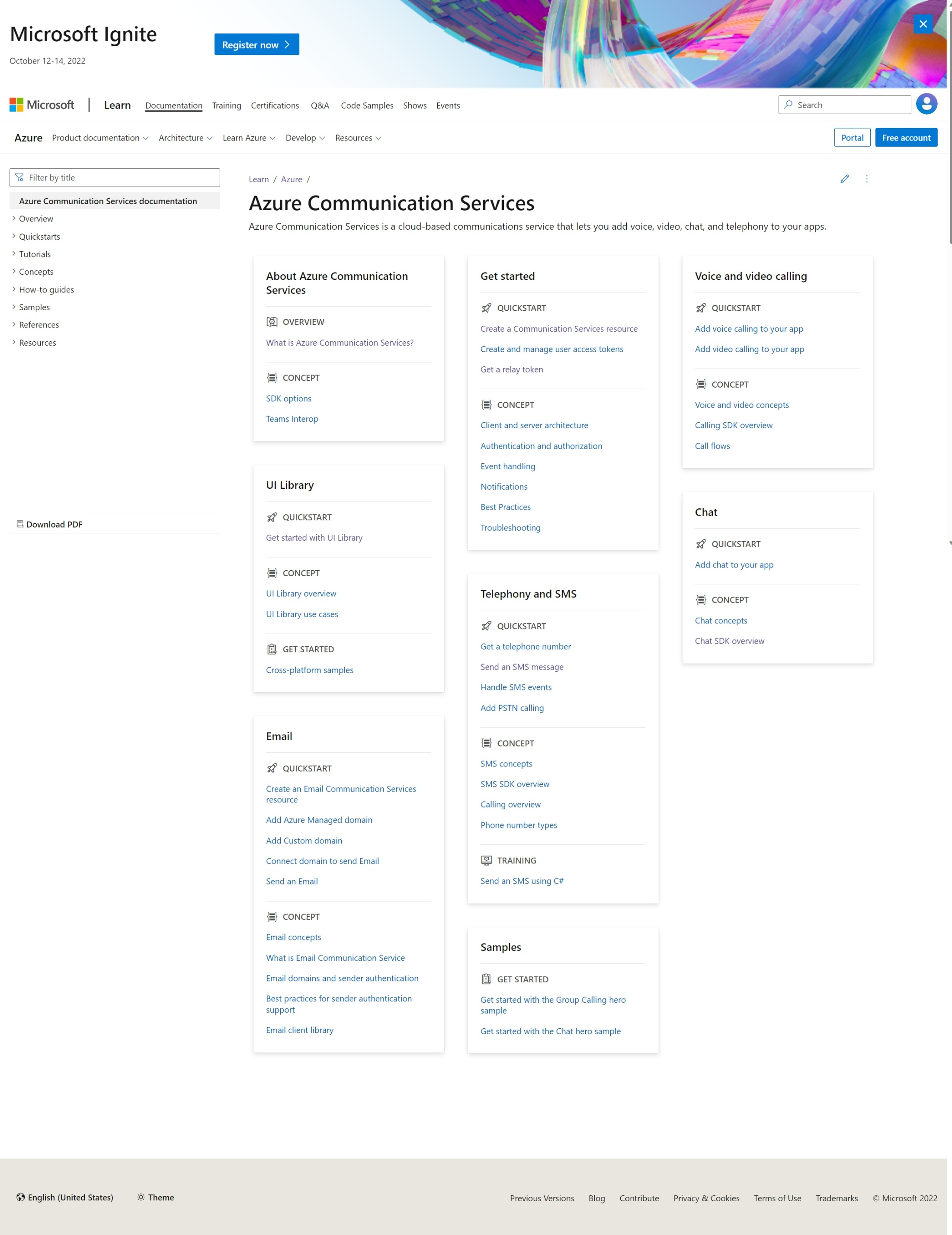
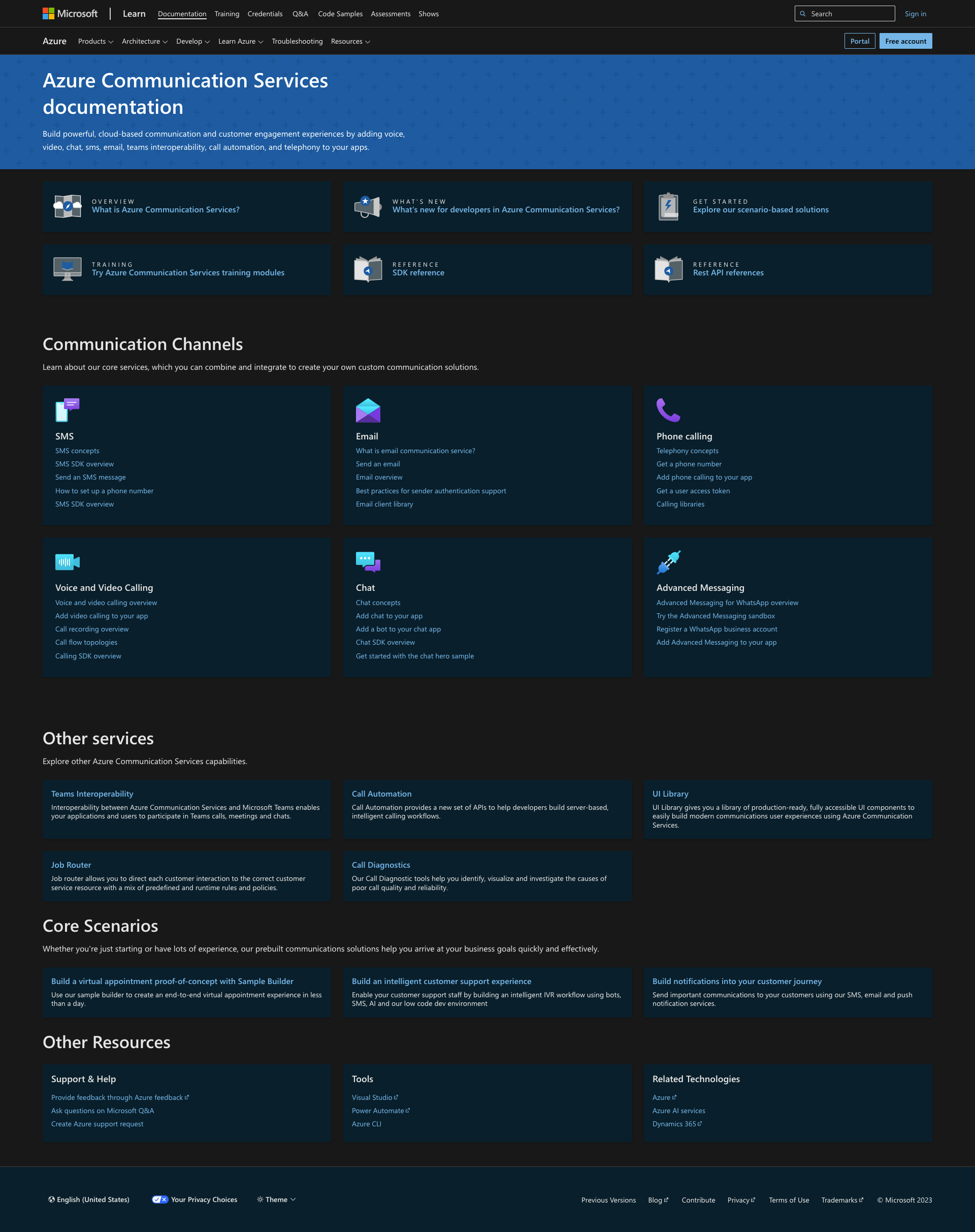
Our redesign of the site navigation was based on extensive user research, which led us to an understanding that our customers approached our content using a mental model that required a different site structure than the structure suggested by the team that owns technical documentation for all of Microsoft. Our customers needed content to be stuctured by subject matter, not content type. The top image is the 'before' view of the landing page of our documentation, the bottom is our redesign, which I coded and launched in January, 2023.

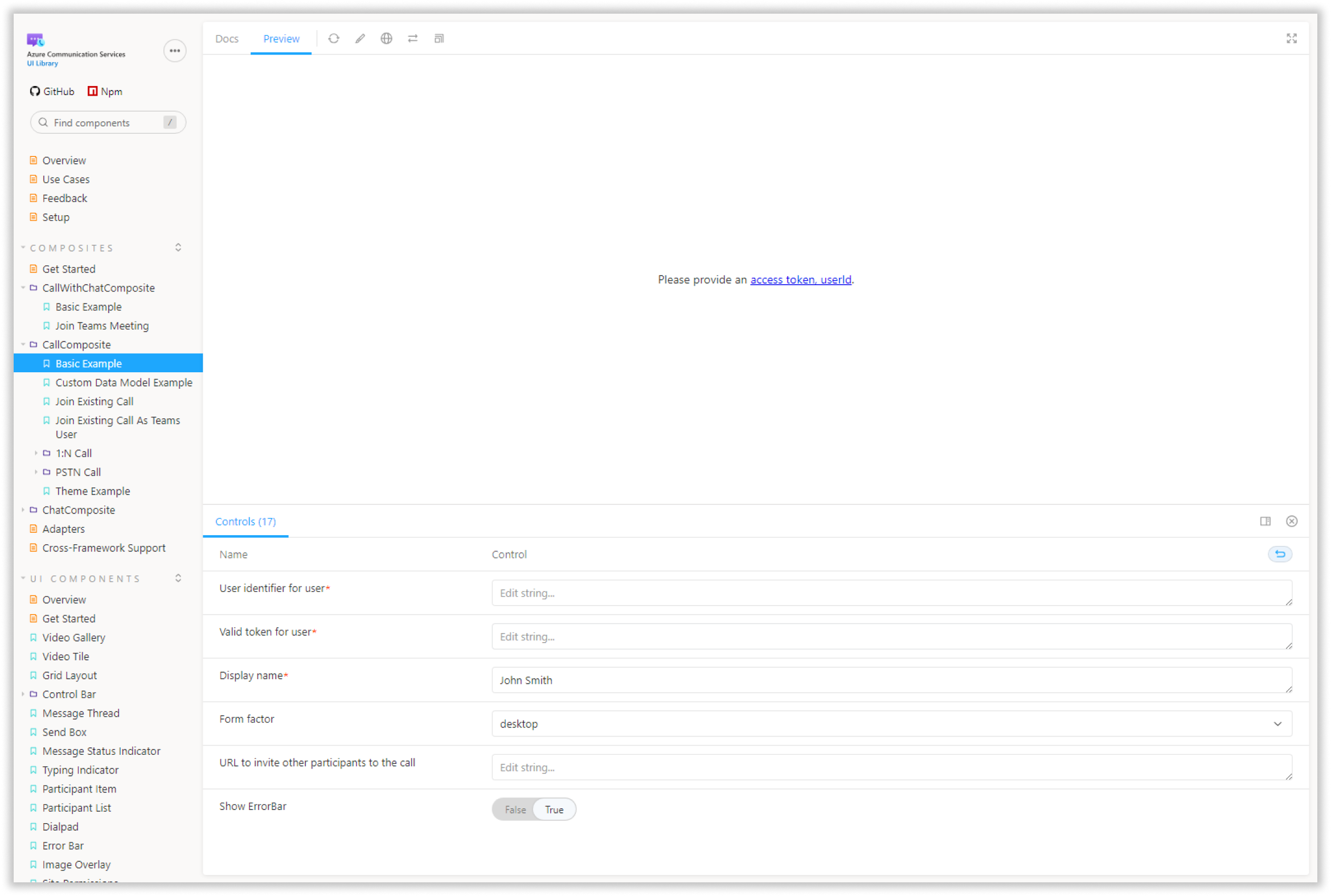
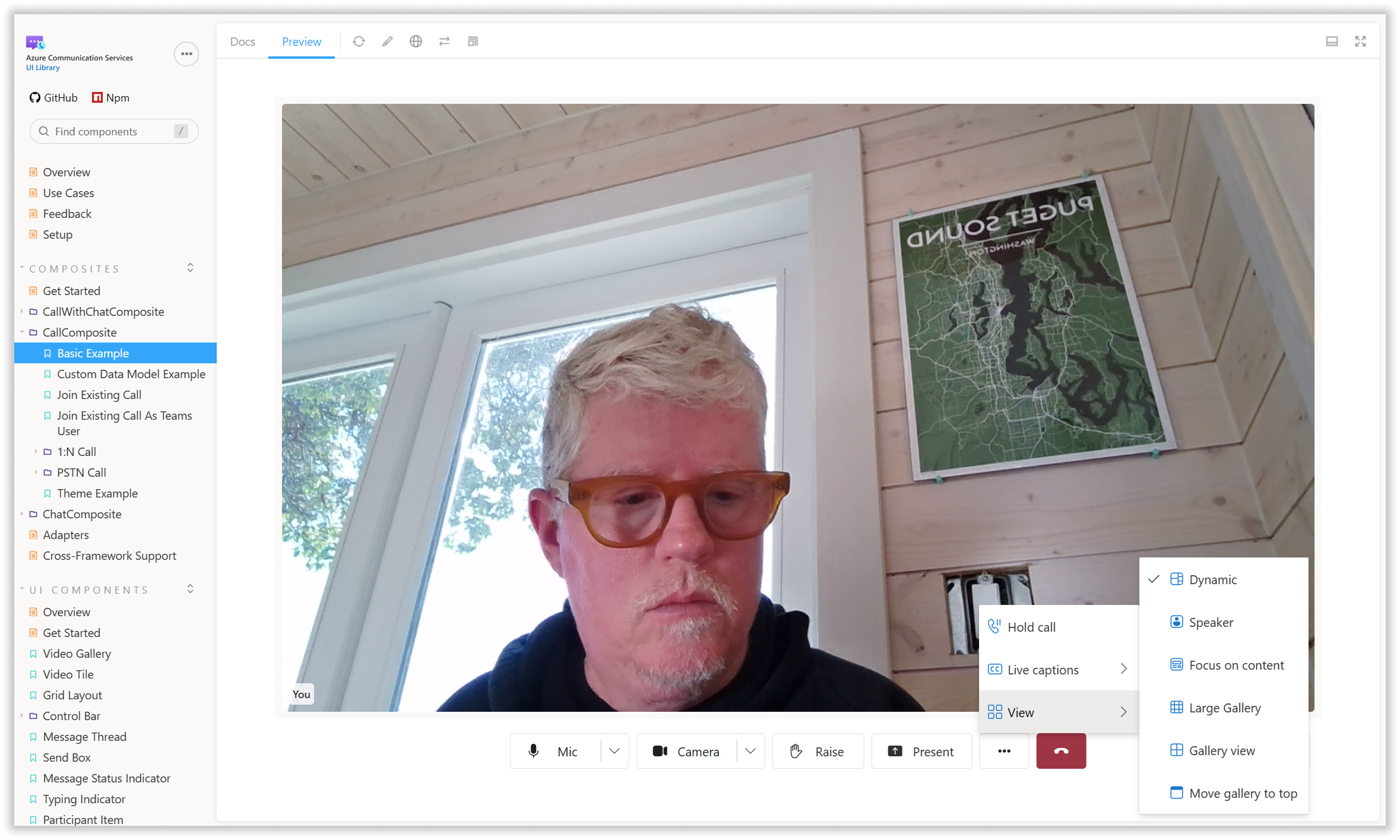
We have also built a documentation site specifically for our design system, UI Library, that is interactive and allows customers to experiment with various communications APIs before signing up for the service.

In FY26, we will be launching a new developer documentation site that brings together all of our technical documentation, educational video content, case studies, tutorials, and other educational assets into a single, easy-to-navigate site. We are also beginning the effort to improve our platform's error messaging system, making error messages and warnings easier for humans and LLMs to understand.
BEFORE: The original documentation landing page, prior to redesign.
AFTER: The redesigned documentation hub landing page.
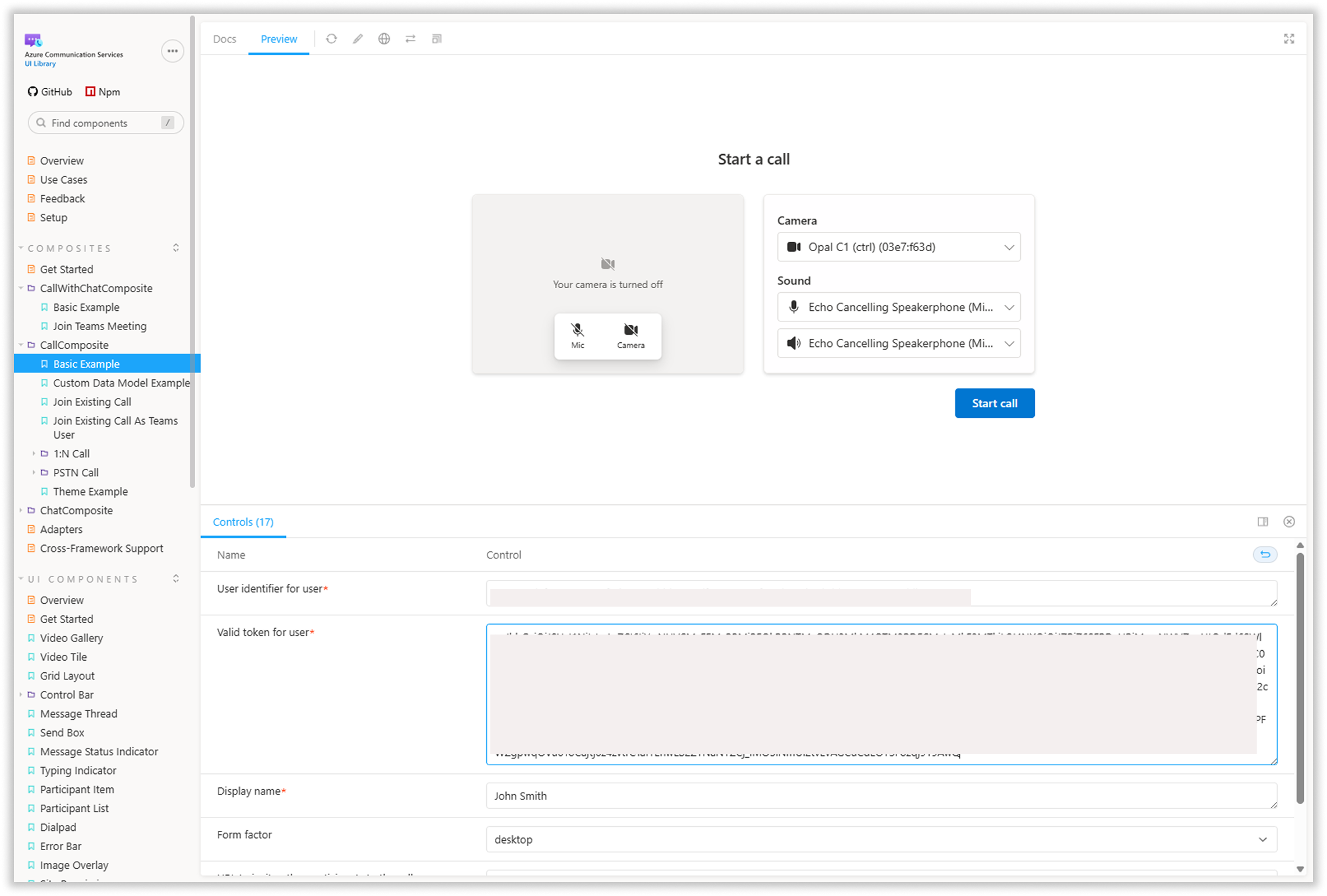
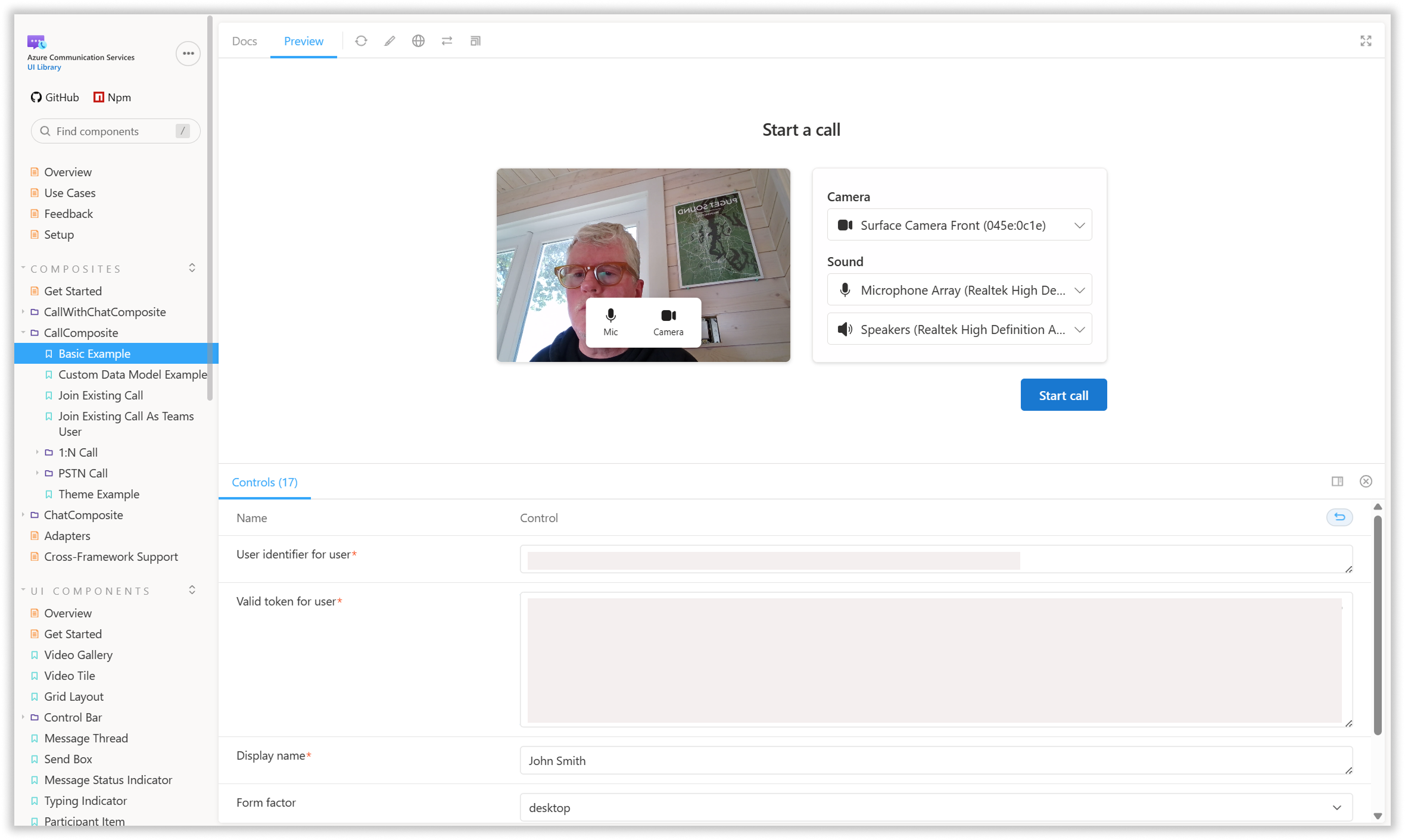
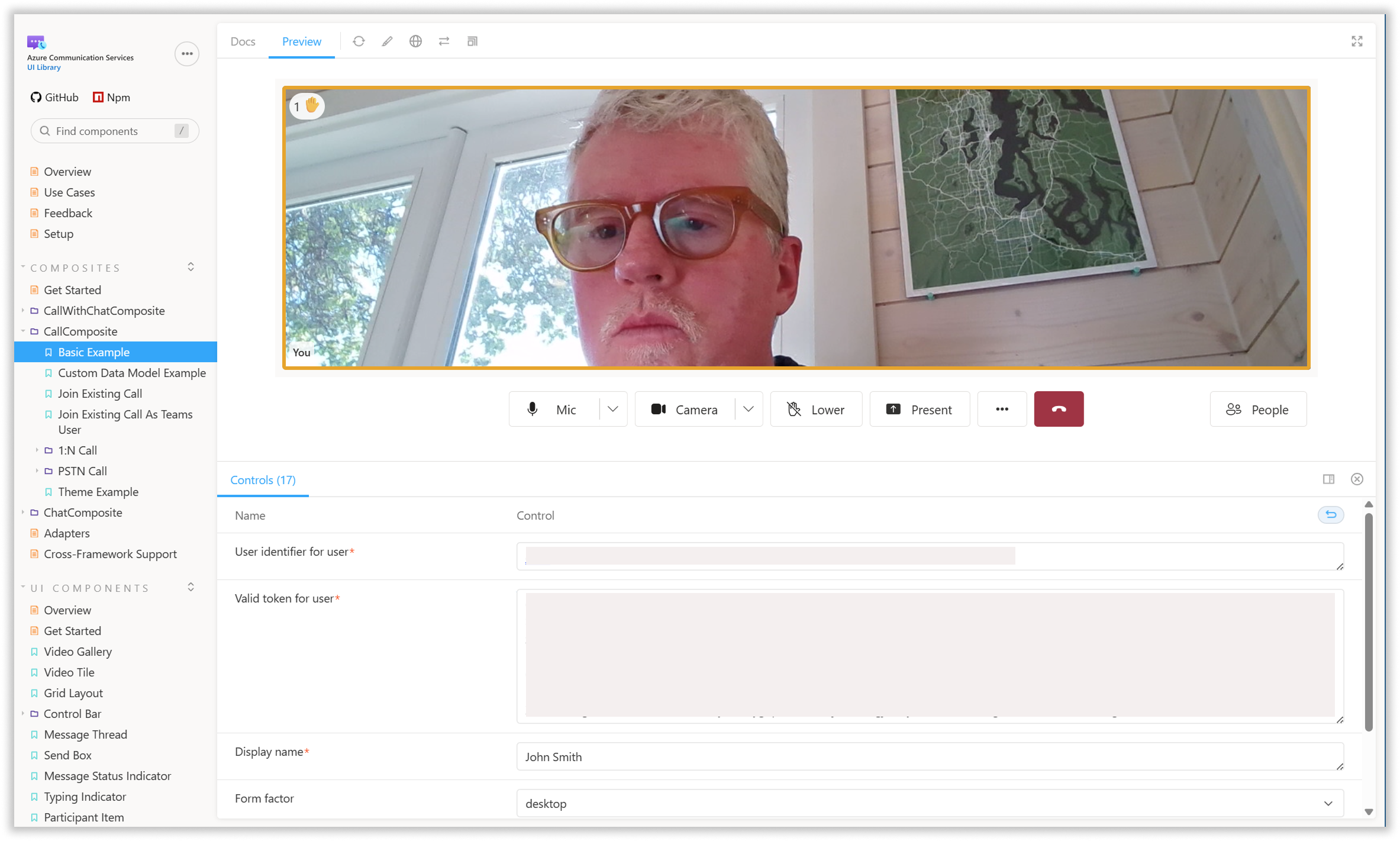
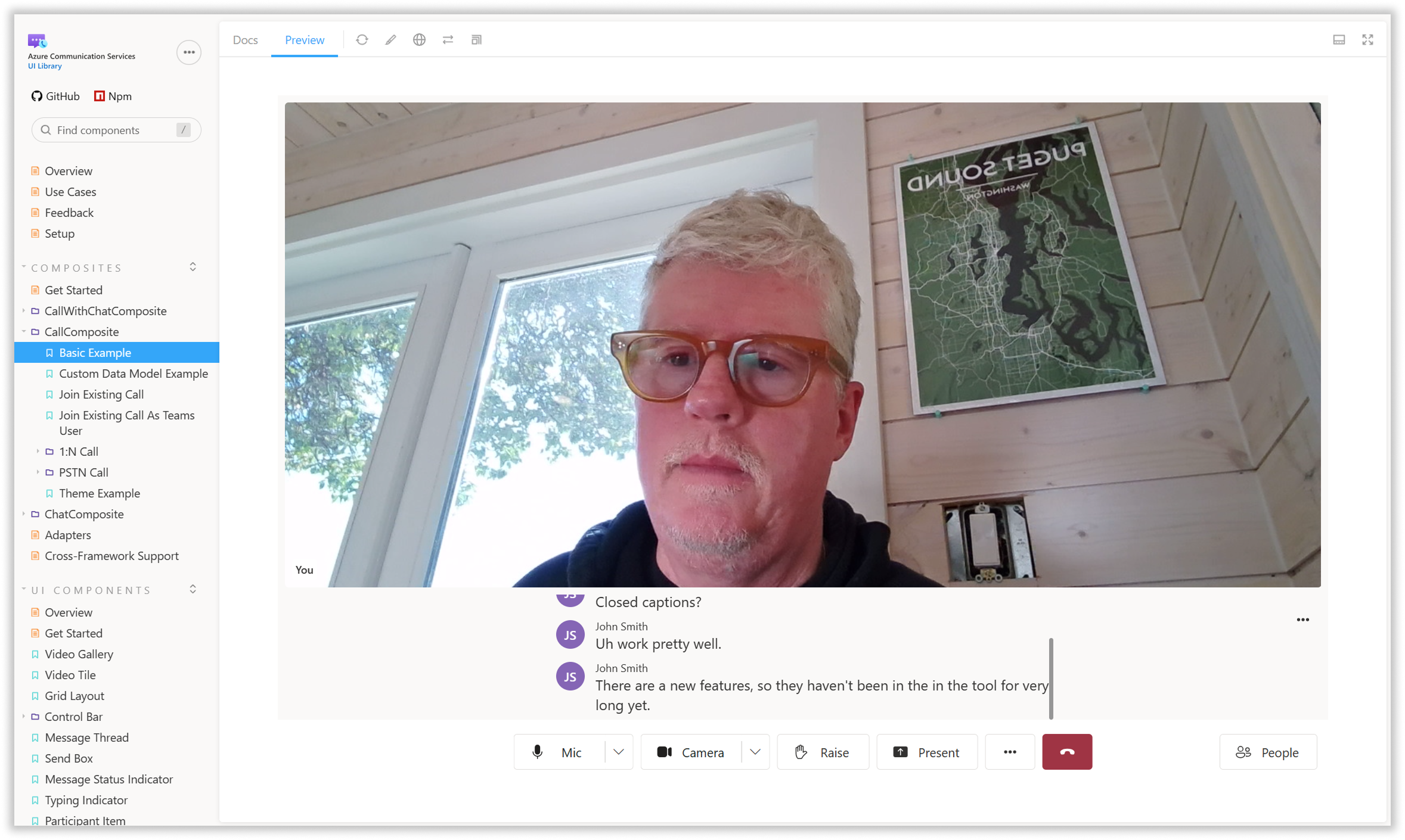
Screens from our interactive documentation for UI Library
UI Library
Head of Design
2022 - 2025
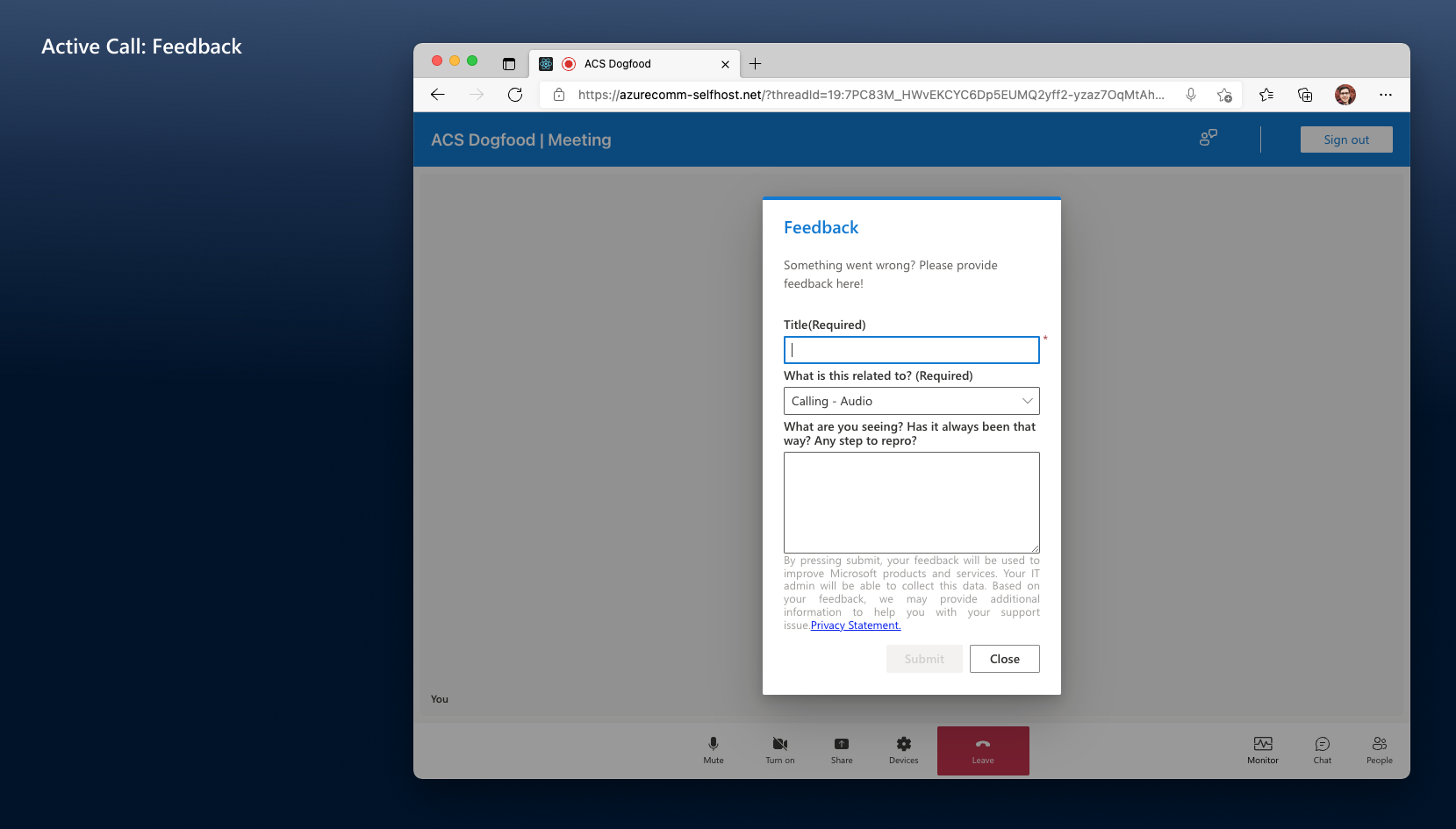
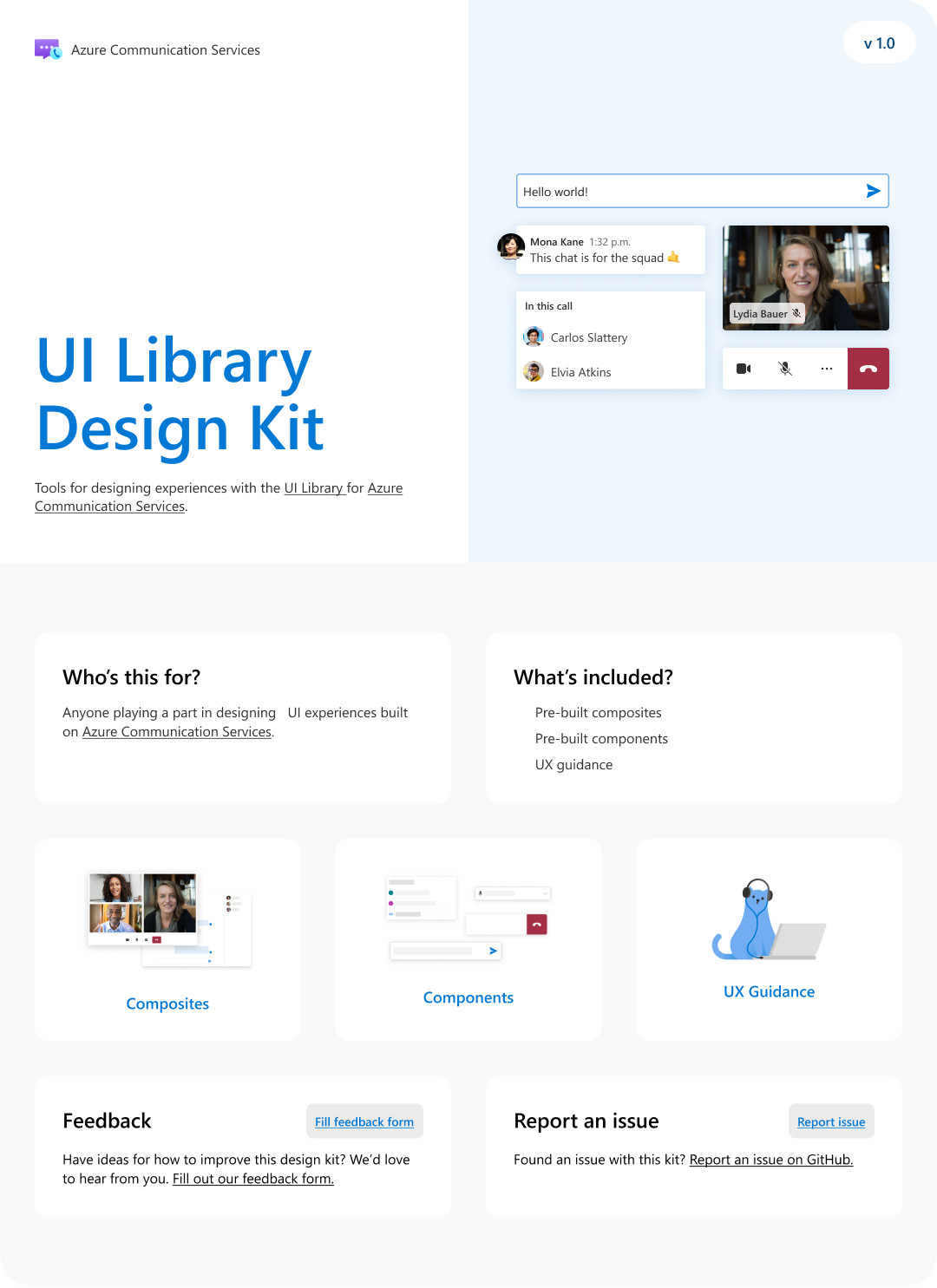
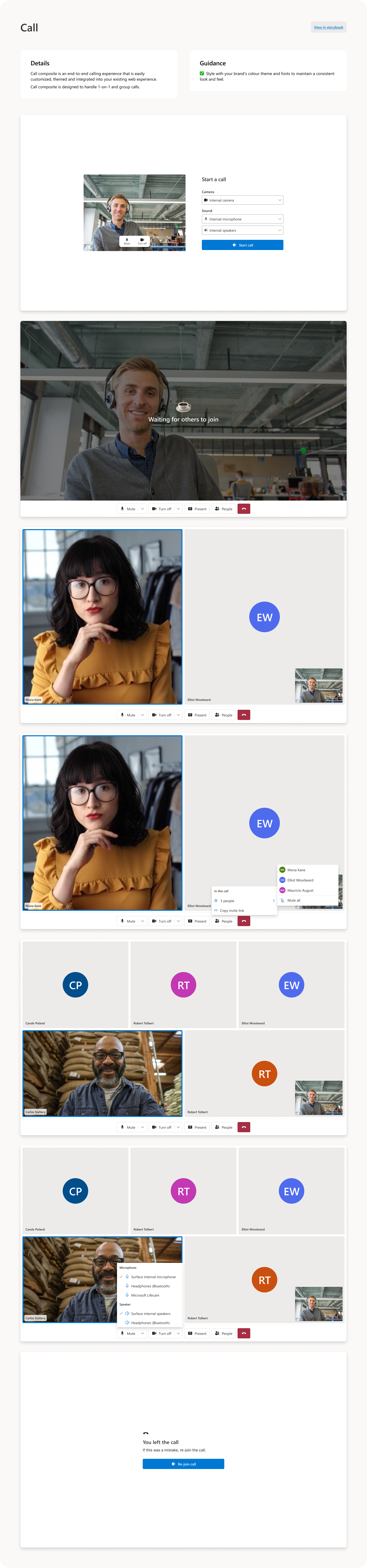
Many of our customers do not have access to designers and as a result do not have the expertise required to create elegant, accessible UIs. The UI Library for web and mobile is designed to make it easy for customers to create simple, elegant, and accessible  UIs custom-designed for their particular users, without requiring the design expertise found at a company the size of Microsoft. The library consists of a set of UI components, as well as a group of composites that combine multiple components in commonly used patterns. Lastly, we created a UI Library Figma Toolkit which makes it easier for customers to design their UIs.

Our designs were based primarily on the interaction and accessibility patterns of the Fluent design system, with some refinements specific to comms based on Microsoft Teams interaction patterns. As our set of Teams interoperability features gets more and more fleshed out, we are increasingly focused on UI Components that provide affordances to Teams features like hand-raise, reactions, rooms, custom backgrounds, etc. We opted to make the look of our components brand-agnostic but easy to customize, to allow our customers to make them conform to their own brand requirements.

In addition to our suite of components and composites, we also created a full set of interactive documentation specifically for UI Library, which allows users to try out the various APIs and see them in action with live camera and audio feeds. Users can see how components and composites will look in both desktop and mobile layouts,

The UI Library has been a success, with one customer claiming that it reduced development time of his team's project by an entire man-year. We see the majority of our usage coming through the web components, while we see mobile native usage lagging behind. We will be adding new AI-focused features to UI Library in FY26.
Sample designs from the ACS UI Library